
Как настроить ra > 08.04.2016 IBM 7 комментариев
Как настроить ra >
Всем привет, сегодня у меня в рабочем штате появился новый пациент, и мы разберемся как настроить ra >
И так напомню обзор по характеристикам IBM x3650 M4 я уже делал, давайте посмотрим как теперь уже создать на нем RAID.
M5110 and M5110e SAS/SATA
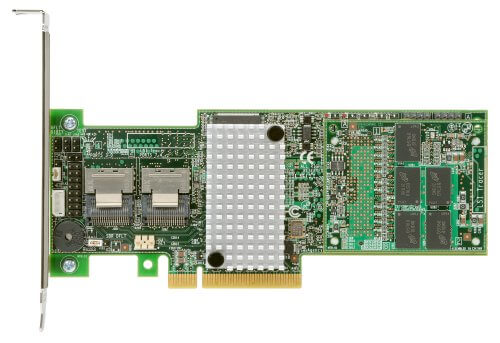
В данном оборудовании установлен RAID контроллер M5110 and M5110e SAS/SATA. Пробежимся по его характеристикам. Ниже показано как выглядит этот контроллер. Как вы знаете все они сделаны на базе LSI, как например M5015, ниже я расскажу какой это аналог.
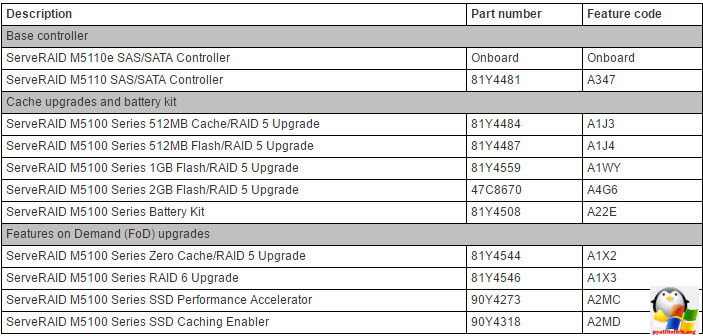
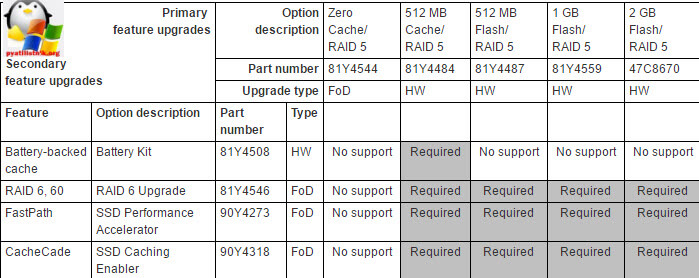
Вот сводная таблица Part number данных контроллеров.
Вот какие виды RAID поддерживает данный контроллер.
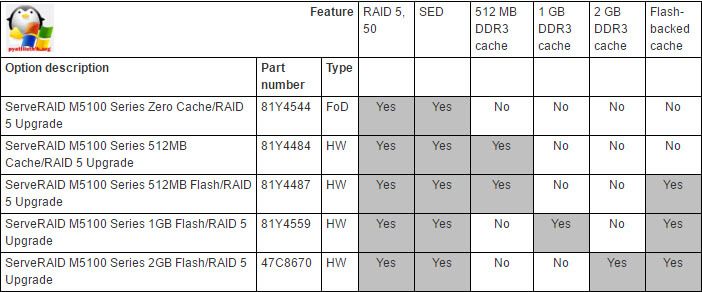
А вот и дополнительные функции, так сказать за бабки, самое вкусное FastPath и CacheCade, что это такое читайте по ссылке слева.
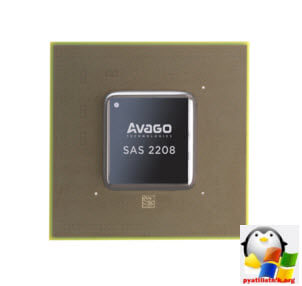
А это LSI чип SAS2208 6Gb/s SAS RAID, и как вы догадались, так же называется контроллер.
Создаем рейды
Для создания на IBM x3650 M4 рейд массивов, у нас есть два пути это через встроенную утилиту в BIOS сервера или через встроенную утилиту LSI, рассмотрим оба варианта.
Через BIOS утилиту
Заходим в BIOS клавишей F1.
Видим наш raid контроллер.
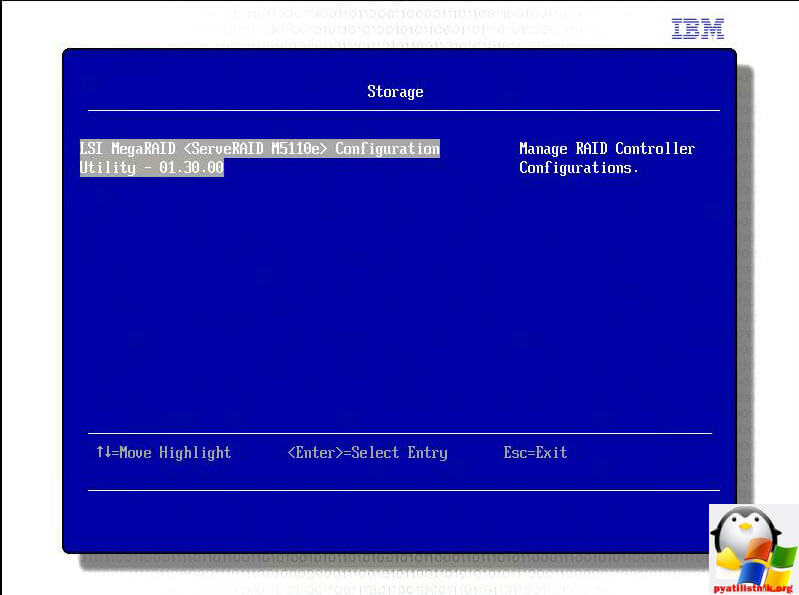
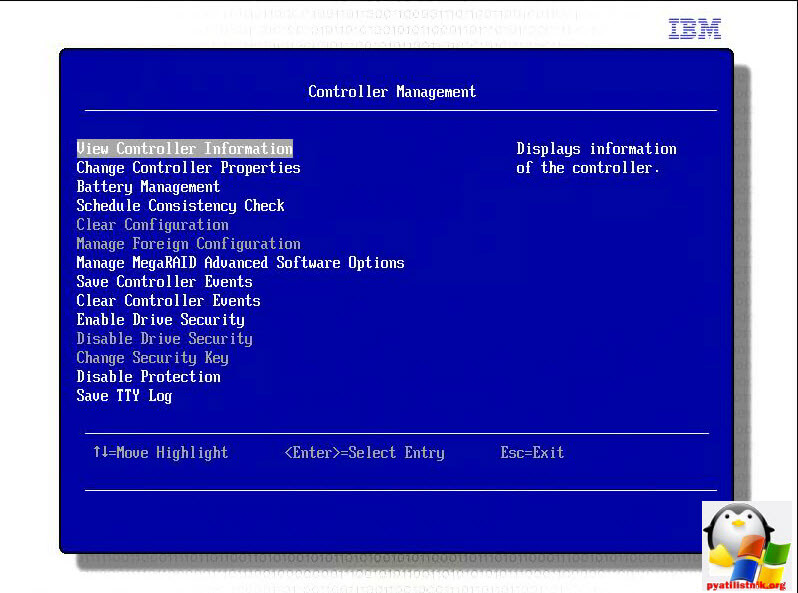
Переходим в пункт Controller Management

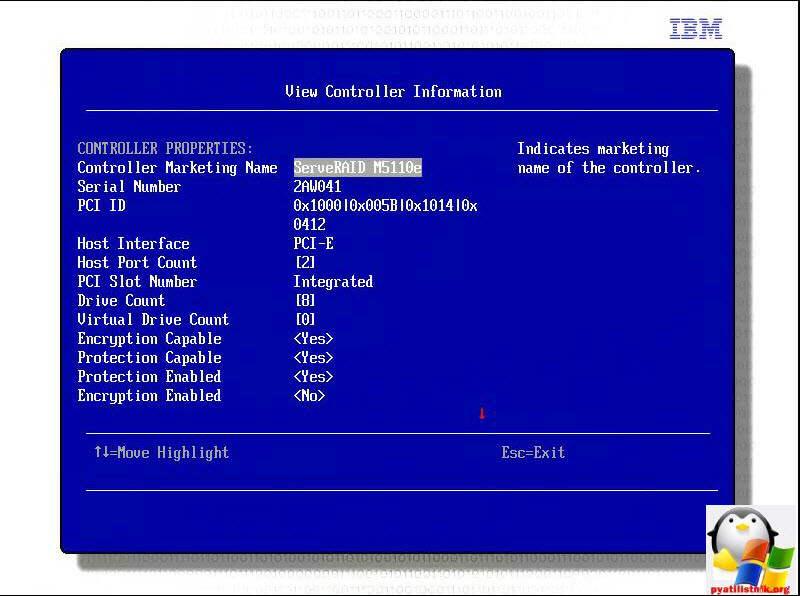
Переходим в пункт View Controller information, чтобы посмотреть все его текущие параметры.
Тут мы можем посмотреть его серийный номер, опции шифрования, номер PCI слота.
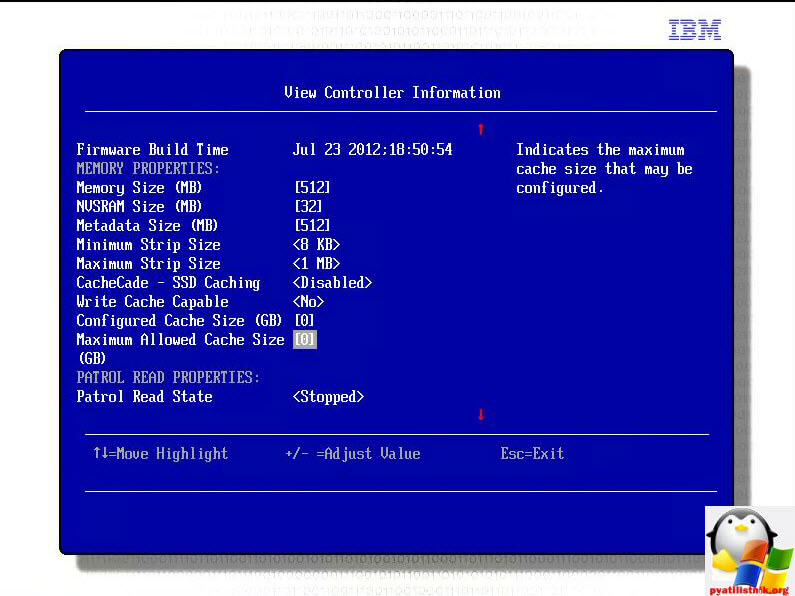
Размер кэша, у меня это 5121 мб
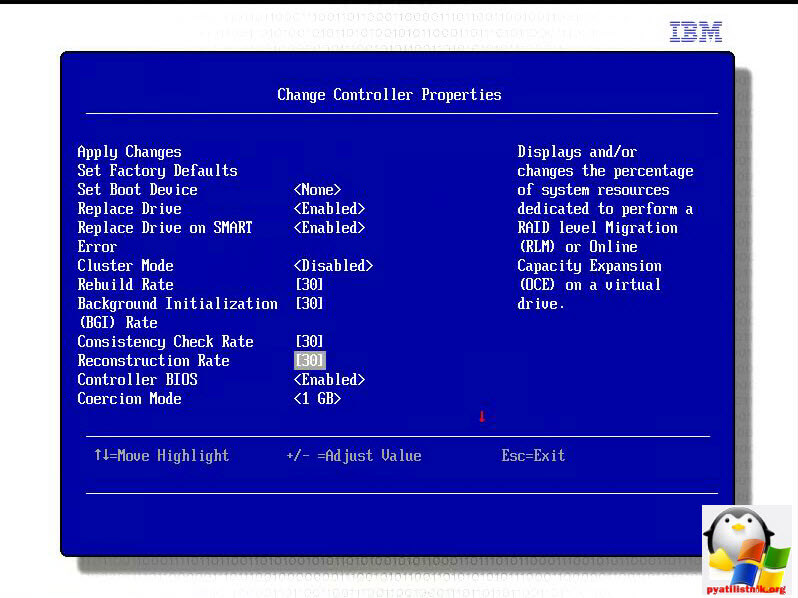
В пункте Change Controller Properties вы можете поменять большинство настроек самого контроллера. Приоритетность перестройки рейда, 30 процентов.
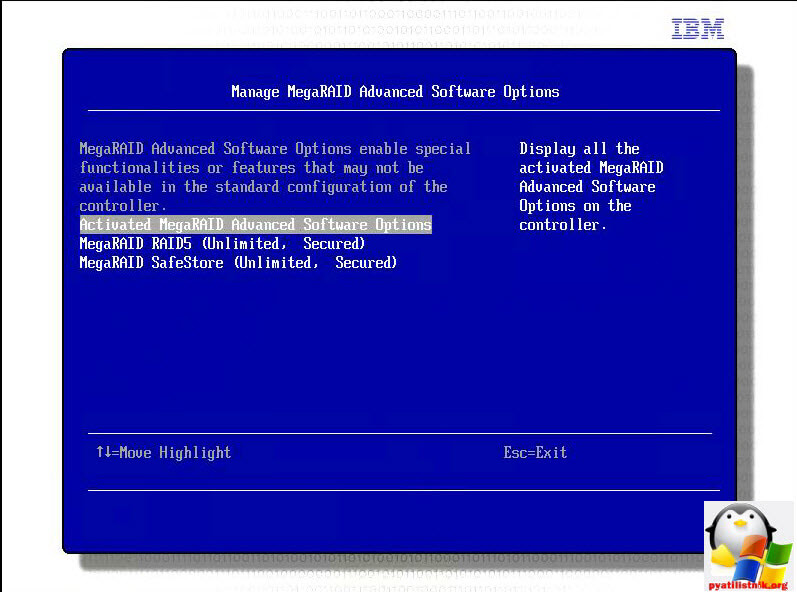
В пункте Manage MegaRAID Advanced Software Options вы можете активировать дополнительные функции, о них я писал выше.
В свойства посмотрели давайте создавать, идем в верхнее меню Virtual Drive Managemetn.
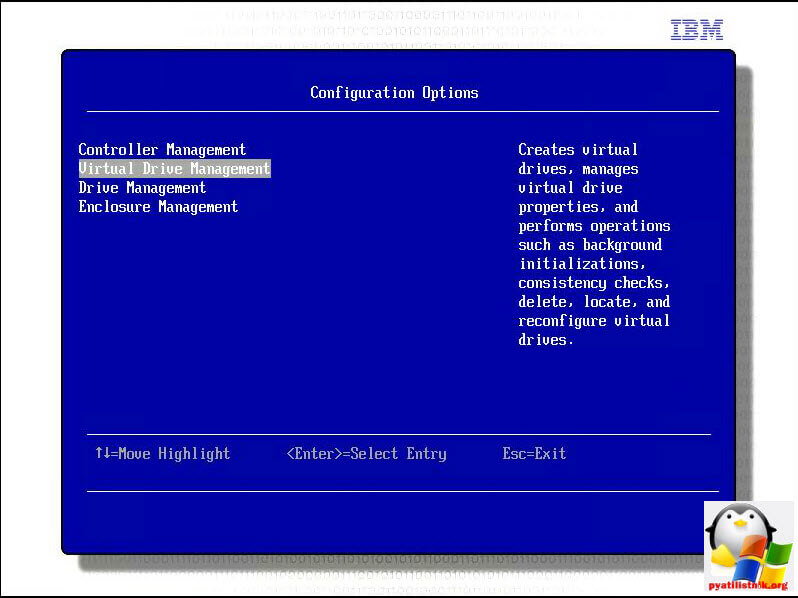
Видим, активно только Create Configuration, создать конфигурацию.
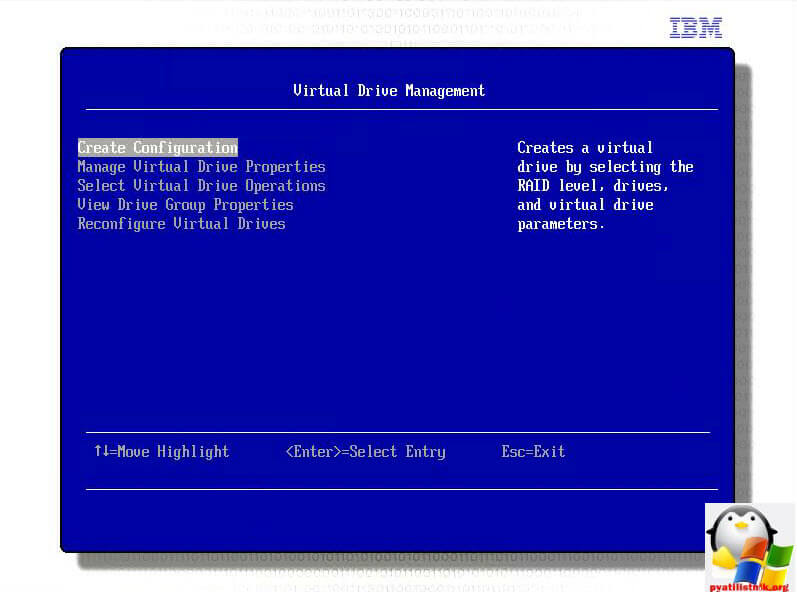
У меня первые два диска по 500 гб, поэтому я на них буду устанавливать систему VMware ESXi 5.5, и сделаю для них RAID 1 зеркало. В Select RAID Level ставим RAID1 и нажимаем Select Drives, для выбора дисков.
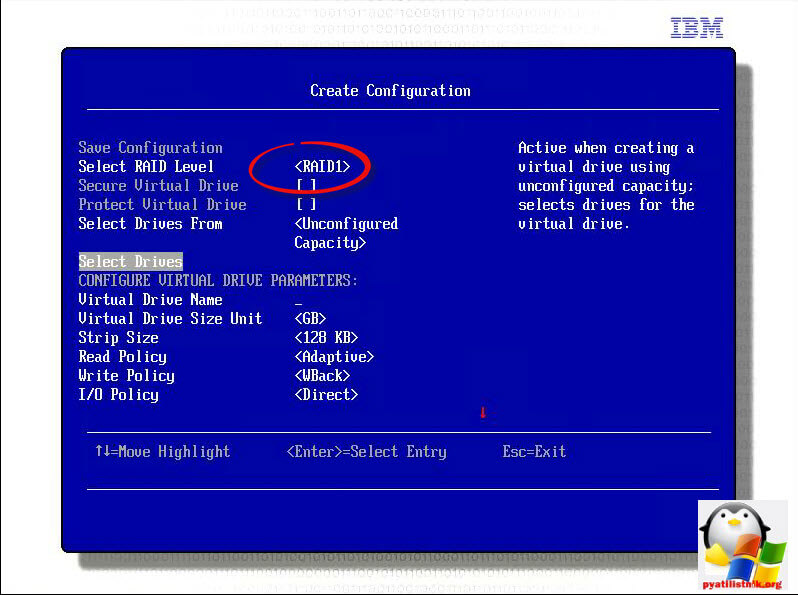
Выбираем первые два диска и жмем Apply Changes.
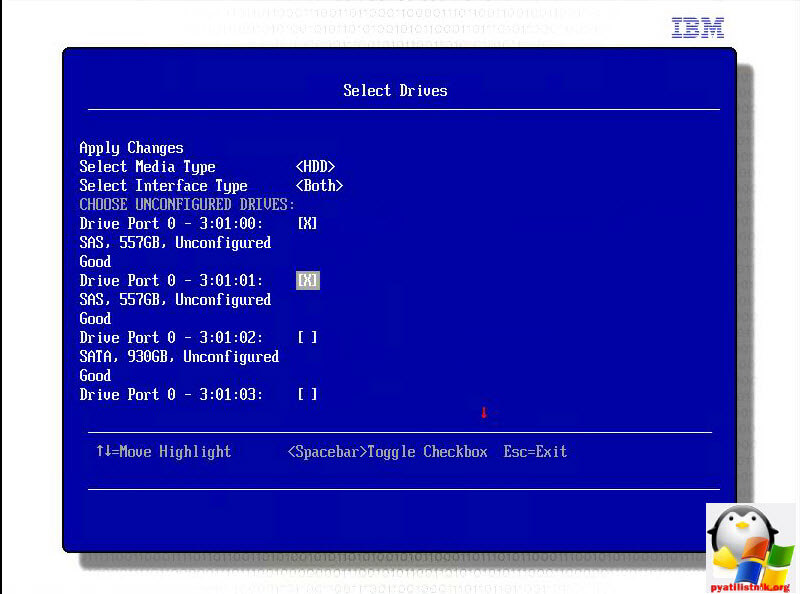
Задаем имя массиву.
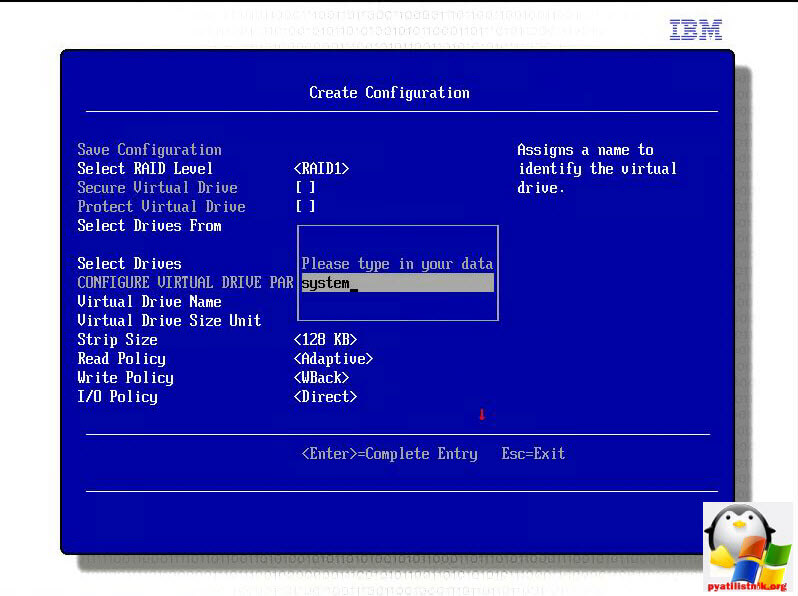
Сохраняем конфигурацию > Save Configuration
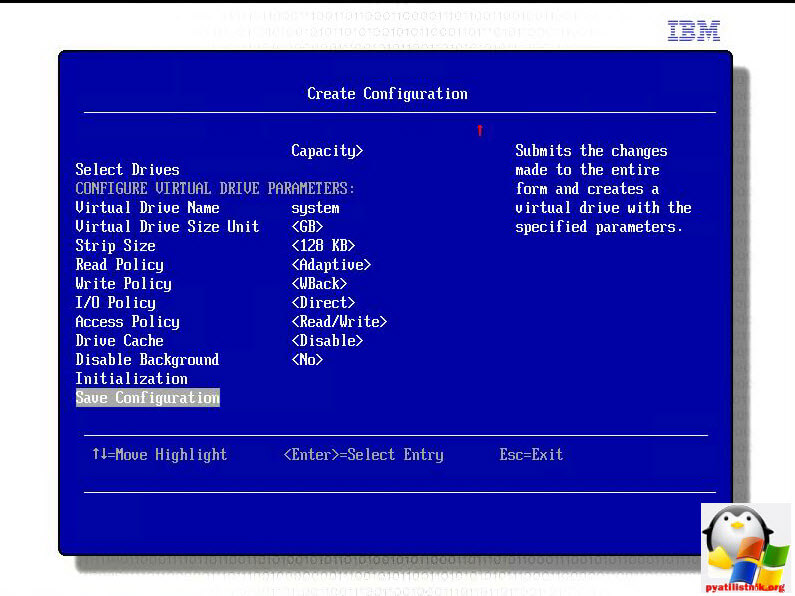
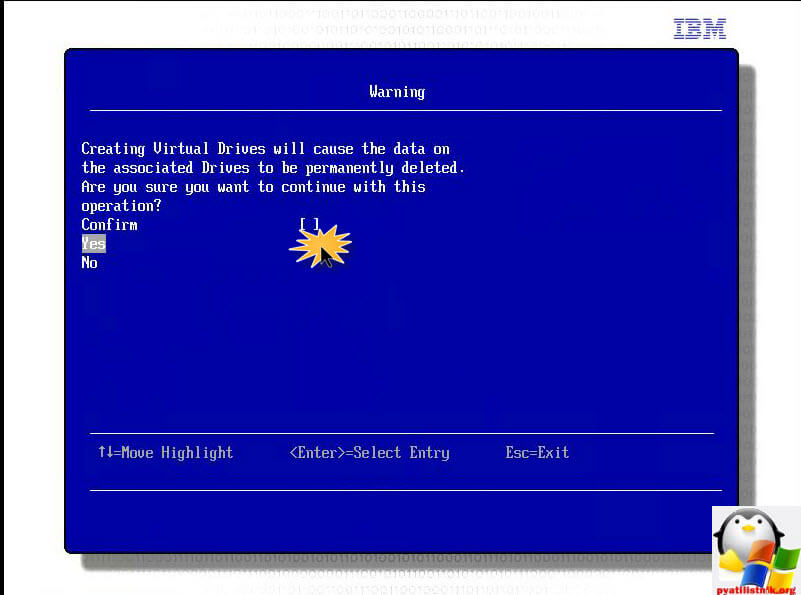
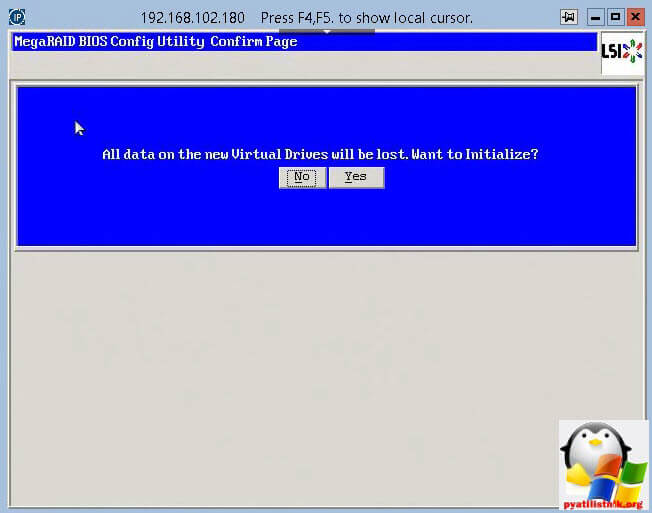
Вас предупредят, что все данные с дисков будут потеряны, жмем Yes.
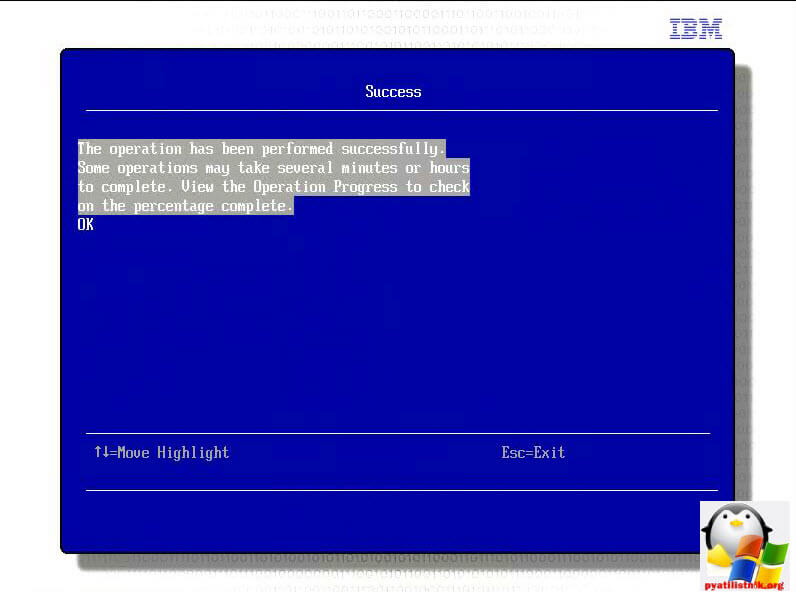
Все массив создался.
Выйдя на один пункт вверх, вы сможете попасть в меню manage Virtual Drive Properties. Чтобы посмотреть свойства созданного виртуального диска.
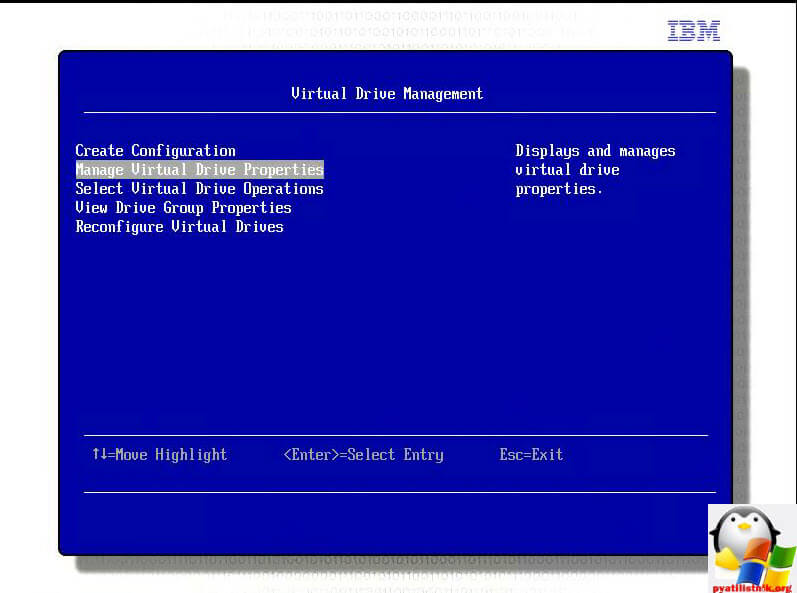
Как видите у нас тут Virtual Drive 0.

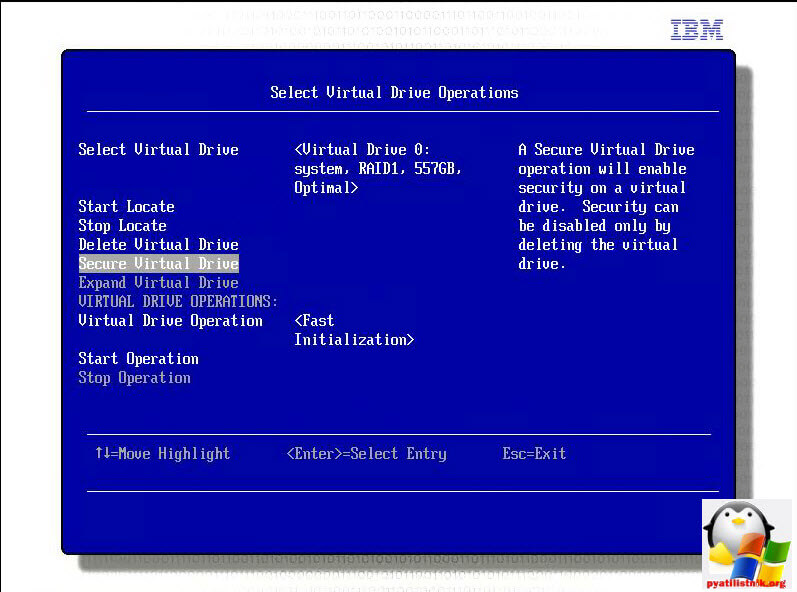
Далее возвращаемся в верхнее меню и загляните в пункт Select Virtual Drive Operations. Тут вы сможете удалить виртуальный диск или его инициализировать.
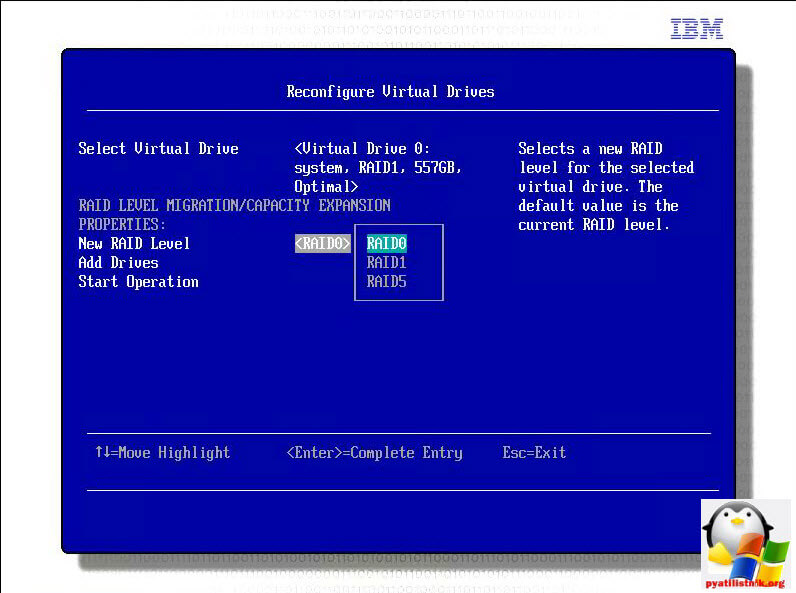
расширить, а даже поменять тип рейда можно в меню Reconfigure Virtual Drive. Выбираете новый тип рейда.
Жмете Add Drives для добавления дисков.
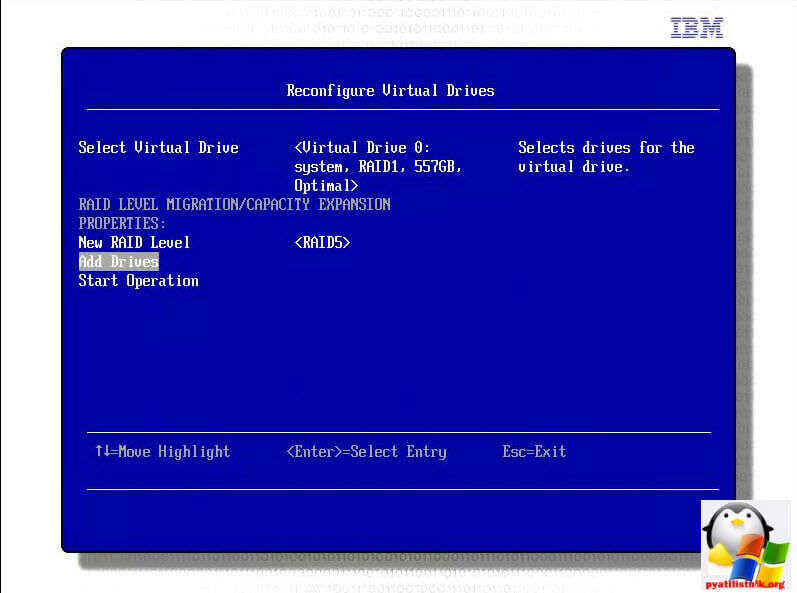
Выбираете сами диски.
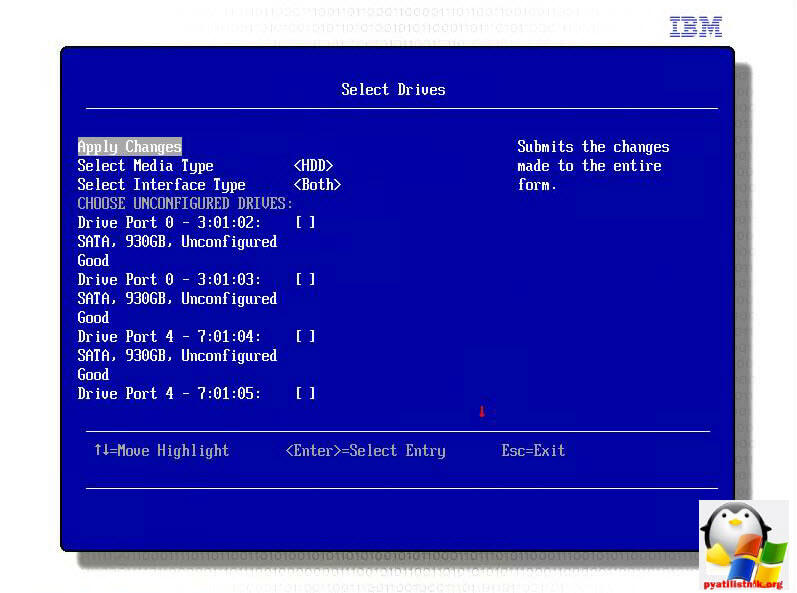
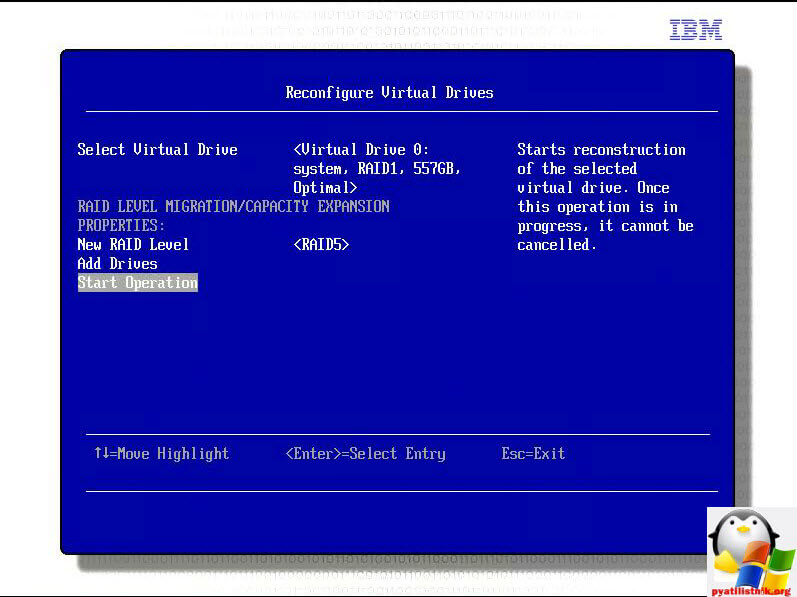
Создадим RAID10. У меня для него осталось 6 дисков, но 6 не подойдет нужна кратность 4. Для примера создадим из 4.
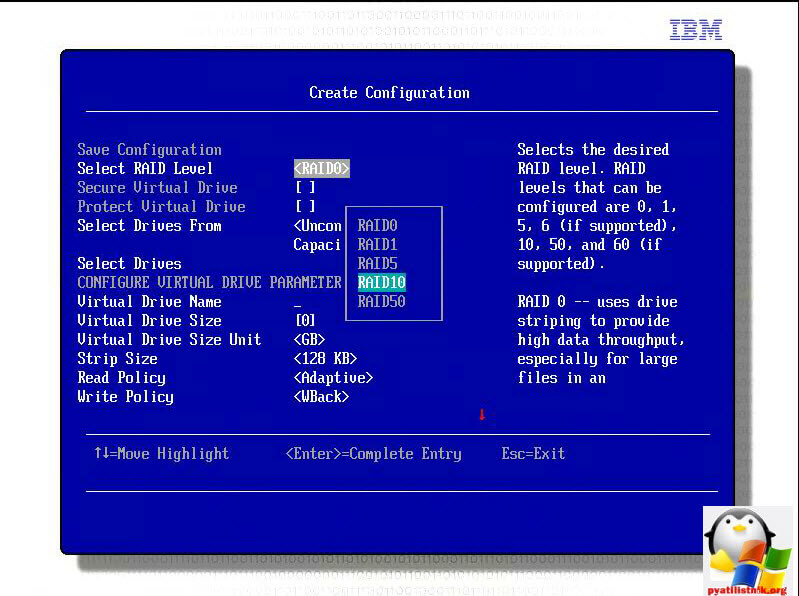
Затем вам нужно создать два Span и из них уже зеркало.
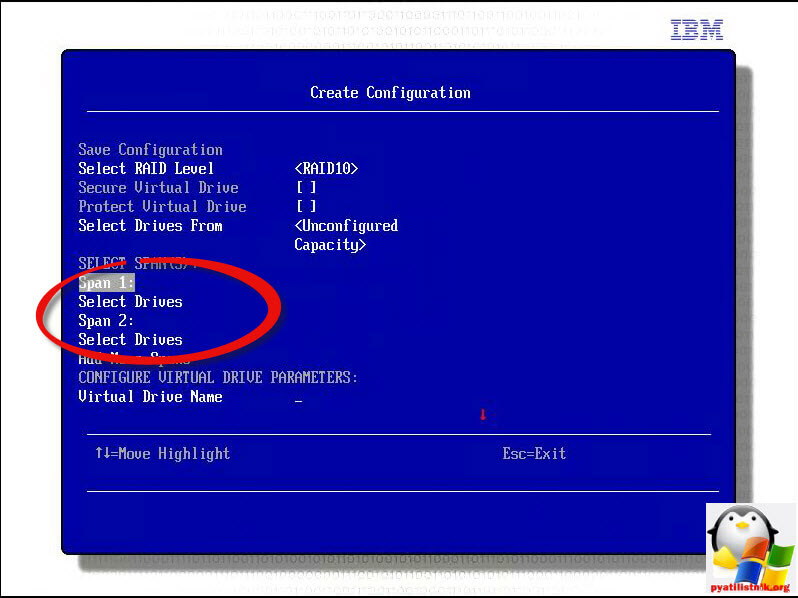
Добавляем диски в первый span.
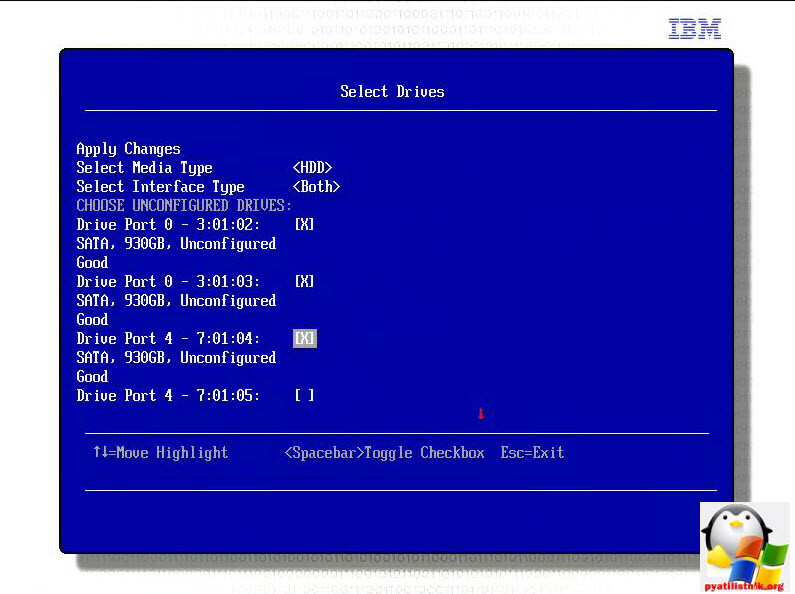
Первый span готов, делаем со вторым то же самое.
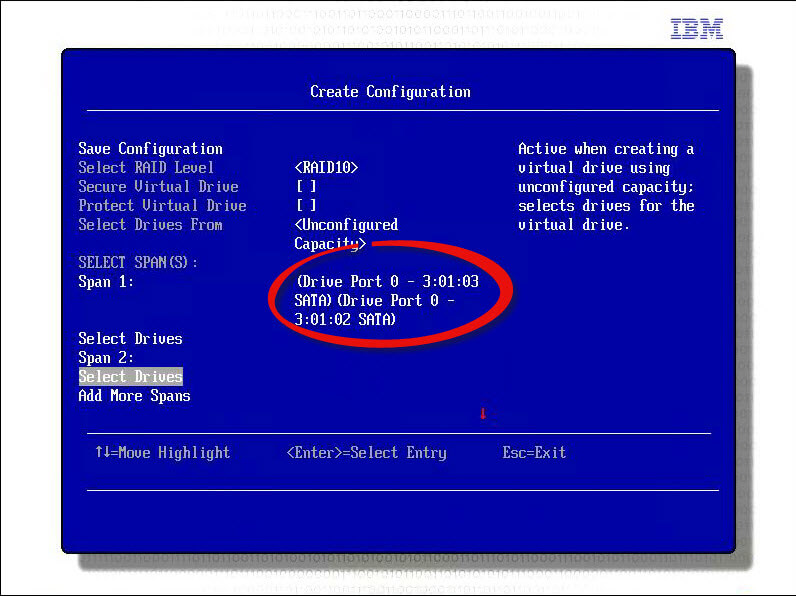
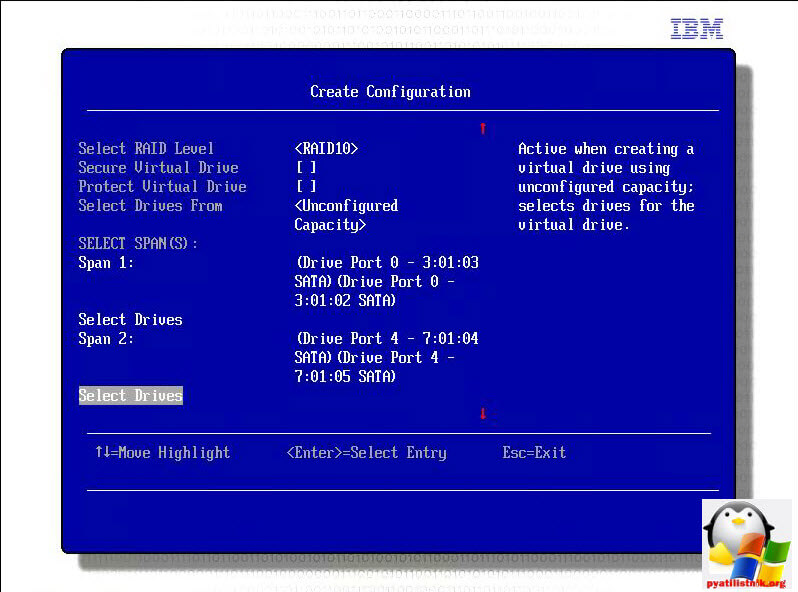
Получилось две группы.
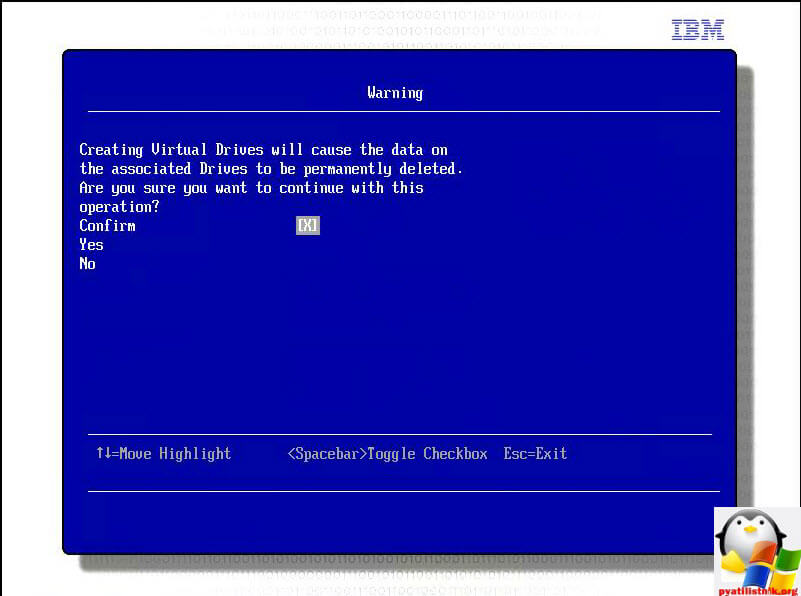
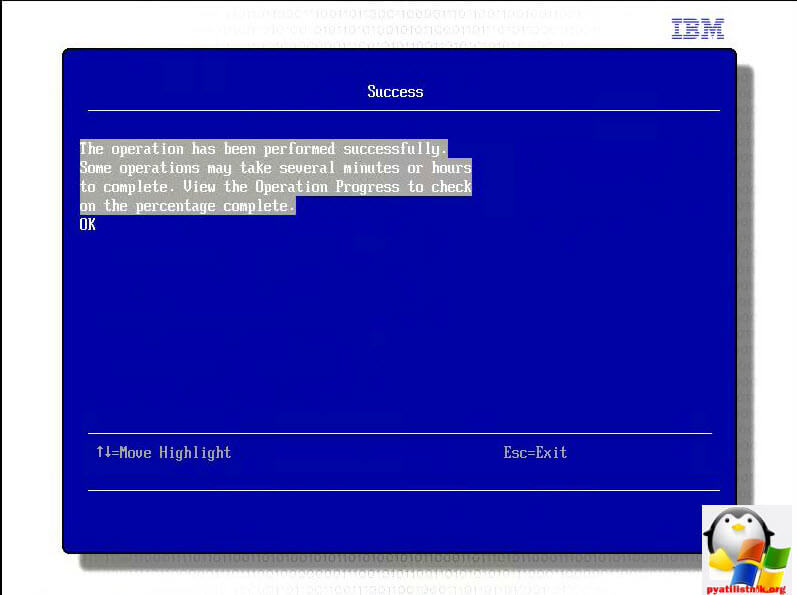
Соглашаемся со сносом дисков.
Операция успешно выполнена.
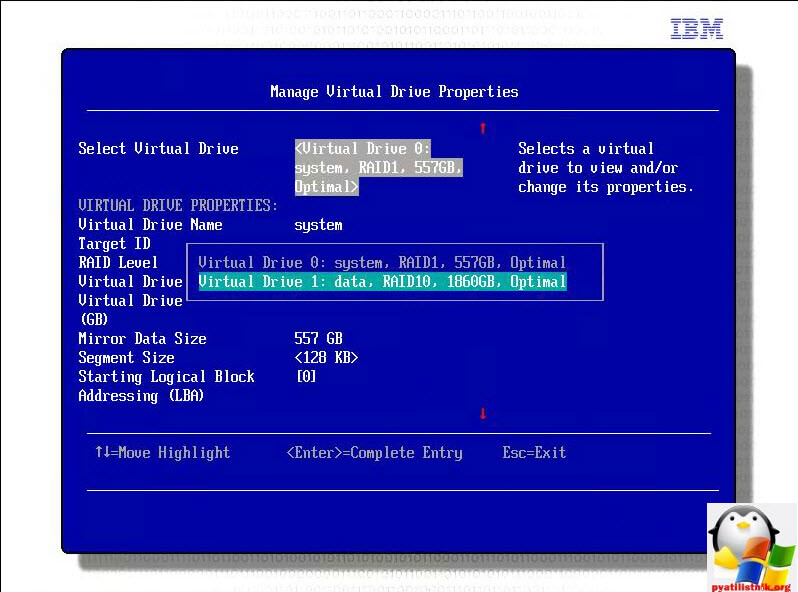
В пункте Manage Virtual Drive Properties в Select Virtual Drive вы можете увидеть второй виртуальный диск.
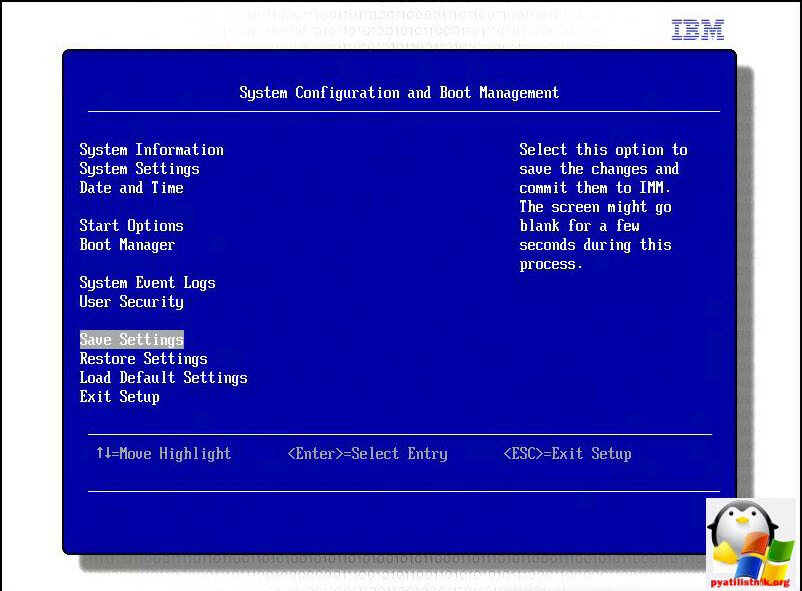
Сохраняемся и выходим.
Через утилиту LSI
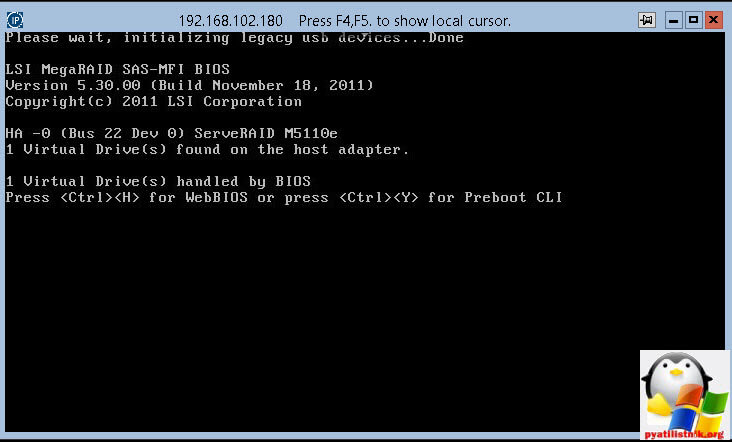
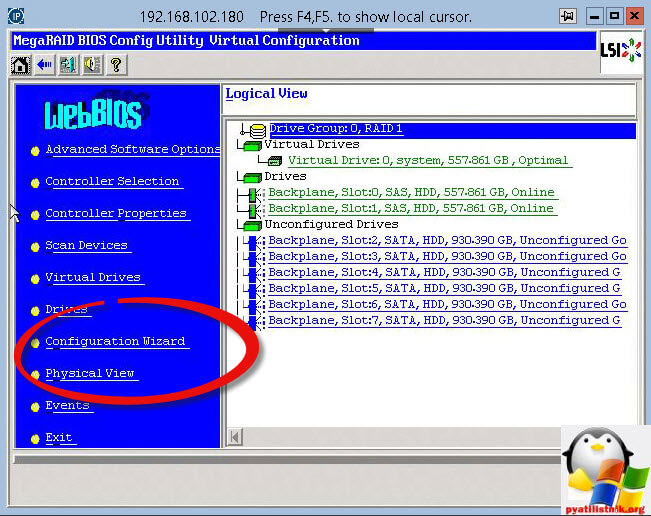
Давайте еще создадим RAID 50 через встроенную утилиту в raid контроллер. Перезагружаем сервер и ждем вот такого окна, в котором жмем CTRL+H, для входа веб BIOS LSI.
Попав в MegaRAID BIOS Configure Utility выбираем пункт Configuration Wizard.
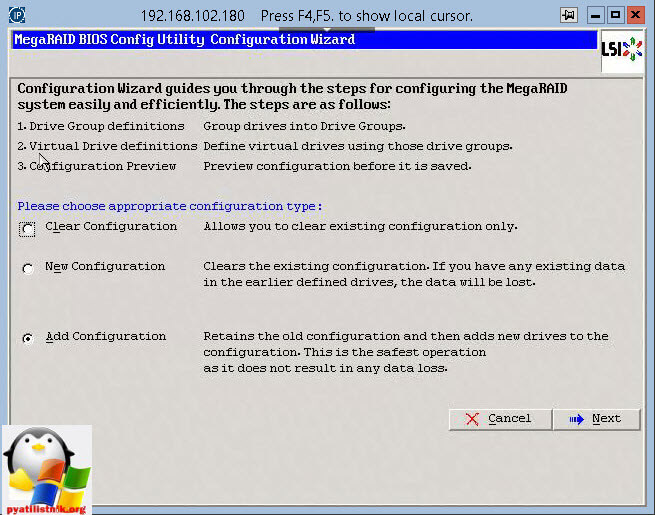
Говорим добавить дополнительную конфигурацию Add Configuration.
В ручную > Manual configuratin

Видим список наших дисков, у меня их 6
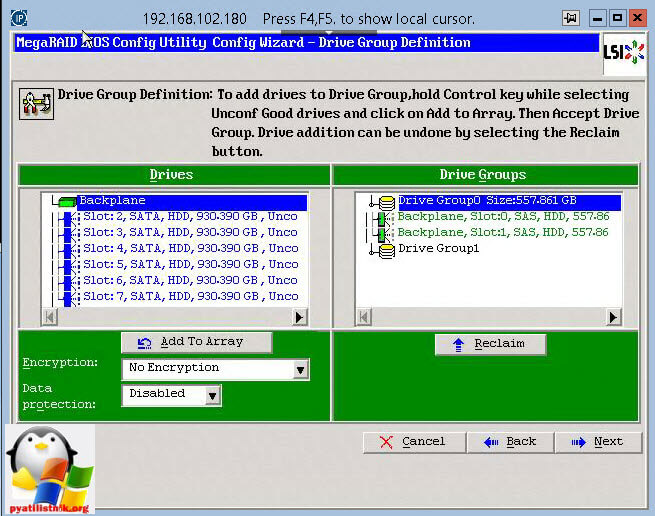
нам нужно создать два span из трех дисков.

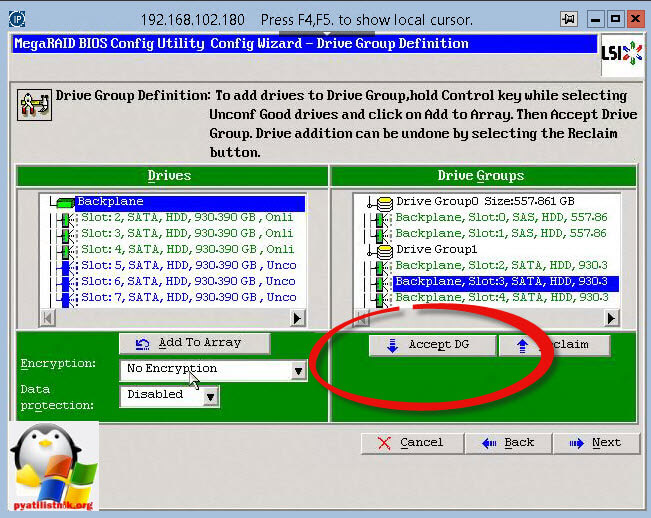
Создаем второй span
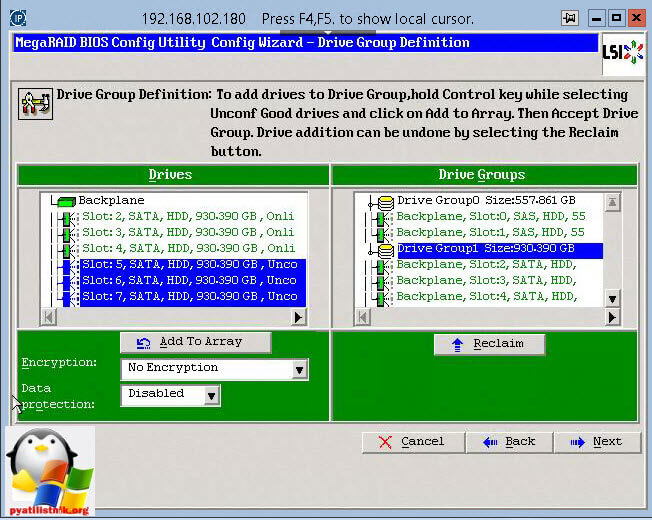
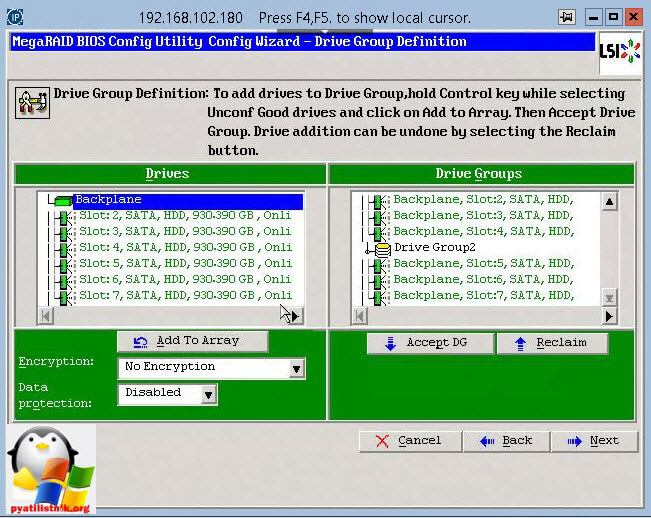
Добавляем два span вправо.
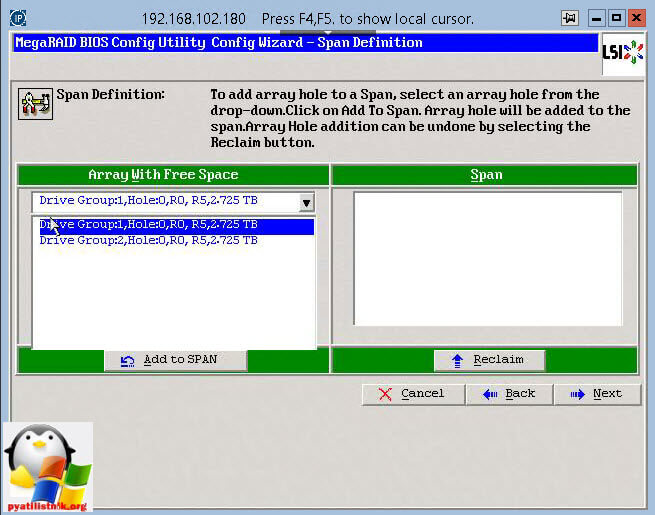
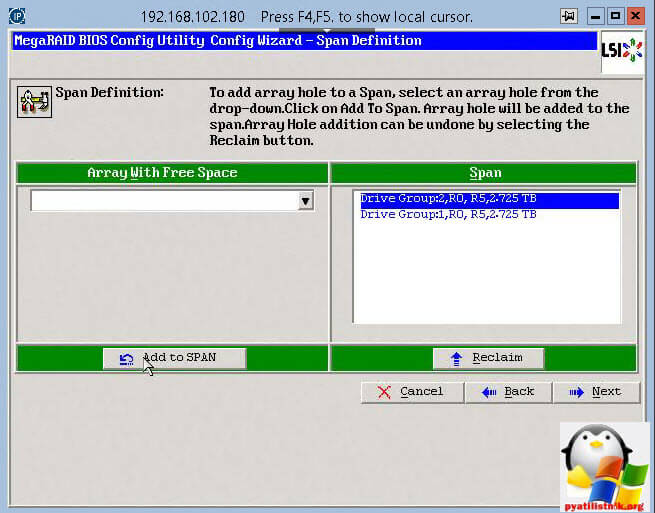
Выбираем RAID 50 и жмем Accept.
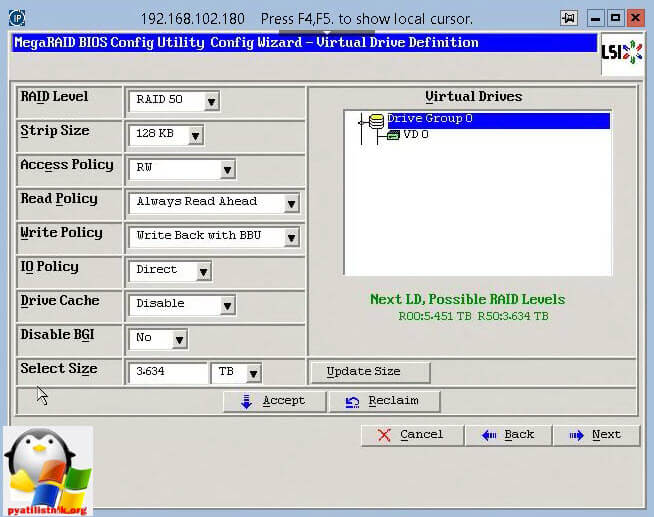
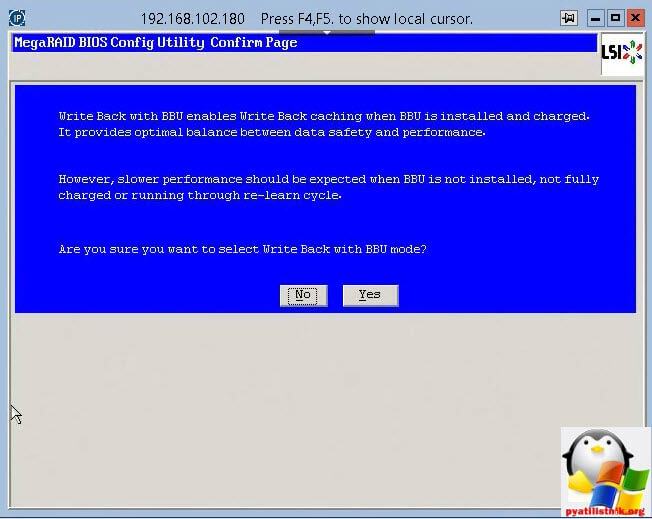
Видим наши виртуальные диски.
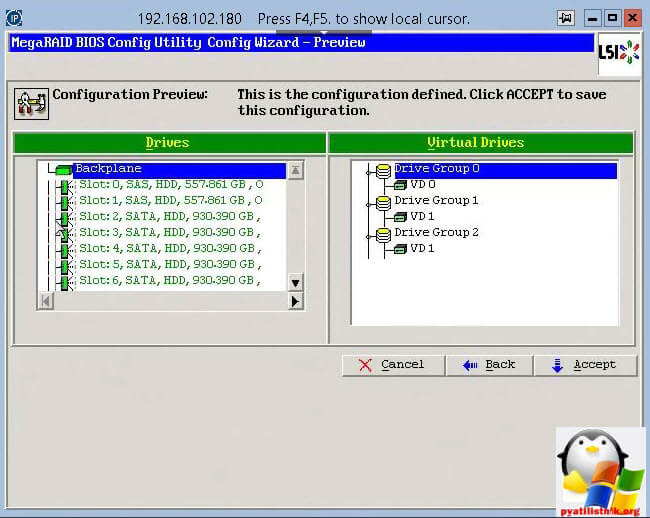
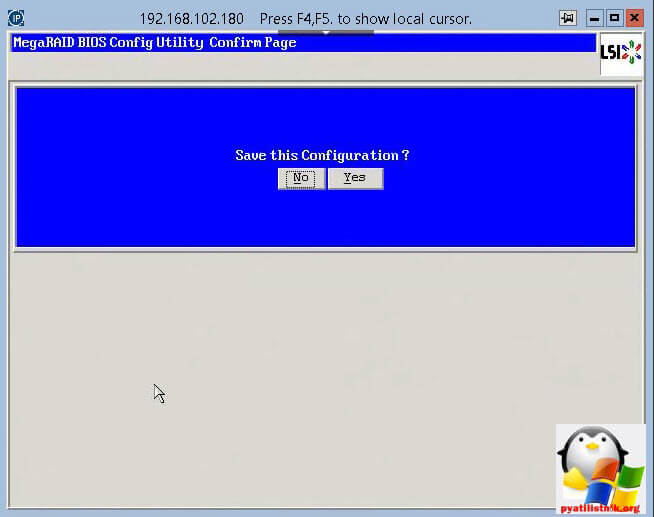

Как видите четвертое поколение немного продвинутее в плане BIOS, но в LSI утилите все же проще все создавать.
Download
Version
Release Date
Downloadable File
| File link | File size | File description |
|---|---|---|
Abstract
Download the latest MegaRAID Storage Manager.
Download Description
Change history
Severity: Suggested
Version: 17.05.01.03
MegaRAID Storage Manager Application
- ServeRAID M1215 SAS/SATA Controller
- ServeRAID M1210e SAS/SATA Controller
- N2125 SAS/SATA HBA for IBM System x
- N2115 SAS/SATA HBA for IBM System x
- IBM PureFlex System Storage Expansion Node
- Onboard LSI 2004 SAS/SATA controller
- Onboard LSI 1064 SAS controller
- Onboard LSI 1064e SAS controller
- Onboard LSI 1068e SAS controller
- Onboard LSI 1078 SAS controller
- ServeRAID C100 (81Y4475)
- ServeRAID C105 (90Y4386)
- ServeRAID H1110 SAS/SATA Controller for IBM System x (81Y4492)
- ServeRAID H1135 Controller for IBM Flex System and BladeCenter (90Y4750)
- ServeRAID M5210e SAS/SATA Controller for IBM System x
- ServeRAID M5210e SAS/SATA Controller
- ServeRAID M5110 SAS/SATA Controller for IBM System x (81Y4481)
- ServeRAID M5110e SAS/SATA Controller for IBM System x
- ServeRAID M5120 SAS/SATA Controller for IBM System x (81Y4478)
- ServeRAID M5025 SAS/SATA controller (46M0830)
- ServeRAID M5016 SAS/SATA Controller for IBM System x (90Y4304)
- ServeRAID M5015 SAS/SATA controller (46M0829)
- ServeRAID M5014 SAS/SATA controller (46M0916)
- ServeRAID M1115 SAS/SATA Controller for IBM System X (81Y4448)
- ServeRAID M1015 SAS/SATA Controller (46M0831)
- IBM SAS HBA (25R8060)
- IBM 3Gb SAS HBA v2 (44E8700)
- IBM SAS Expansion Card (CFFv) for IBM BladeCenter (39Y9190)
- IBM SAS Connectivity Card (CFFv) for IBM BladeCenter (43W3974)
- IBM SAS/SATA RAID Kit (42C1312, 42C1313)
- IBM ServeRAID BR10i SAS controller (44E8688)
- IBM ServeRAID BR10il SAS controller (44X0411)
- IBM ServeRAID BR10il v2 SAS controller (49Y4731)
- IBM ServeRAID MR10il SAS controller (44E8767)
- IBM ServeRAID MR10is SAS controller (44E8695)
- IBM ServeRAID MR10ie (CIOv) SAS controller (46C7167)
- IBM ServeRAID MR10i SAS controller (43W4296)
- IBM ServeRAID MR10k SAS controller (43W4280)
- IBM ServeRAID MR10M SAS controller (43W4339)
- MegaRAID 8480 SAS controller (39R8850)
NOTE TO SERVICE — Reference RETAIN #N/A
Enhancements:
- MSM: Upgrade of OpenSSL binaries to openssl-1.0.2n.(SCGCQ01564578)
Note: See the change history file for more information.
Download
Version
Release Date
6 December 2010
Downloadable File
| File link | File size | File description |
|---|---|---|
Abstract
Download the latest IBM ServeRAID Support CD for IBM System x
Download Description
Change history
Severity: Suggested
- IBM System x3105 (4347)
- IBM System x3650 (7979, 1914)
- IBM System x3650 NAS (7979)
- IBM System x3800 (8865, 8866)
- IBM System x3850 (8863, 8864, 7365, 7362)
- IBM System x3950 (8872, 8878)
- IBM System x3950 E (8879, 8874, 7364, 7367)
- IBM eServer 325 (8835)
- IBM eServer 326 (8848)
- IBM eServer 326m (7969, 7992)
- IBM xSeries 100 (8486)
- IBM xSeries 130 (8672)
- IBM xSeries 135 (8672)
- IBM xSeries 150 (8658)
- IBM xSeries 200 (8478)
- IBM xSeries 206 (8482, 8487)
- IBM xSeries 206m (8485, 8490)
- IBM xSeries 206m NAS (8490)
- IBM xSeries 220 (8646, 8645)
- IBM xSeries 225 (8647, 8649)
- IBM xSeries 226 (8488, 8648)
- IBM xSeries 230 (8658)
- IBM xSeries 232 (8668)
- IBM xSeries 235 (8673, 8671)
- IBM xSeries 236 (8841)
- IBM xSeries 240 (8664)
- IBM xSeries 250 (8665)
- IBM xSeries 255 (8685)
- IBM xSeries 260 (8865)
- IBM xSeries 300 (8672)
- IBM xSeries 305 (8673)
- IBM xSeries 306 (8836, 1878, 8489)
- IBM xSeries 306m (8849, 1887, 8491)
- IBM xSeries 330 (8674, 8675)
- IBM xSeries 335 (8676, 8830)
- IBM xSeries 336 (8837, 1879)
- IBM xSeries 340 (8656)
- IBM xSeries 342 (8669)
- IBM xSeries 345 (8670)
- IBM xSeries 346 (8840, 1880)
- IBM xSeries 350 (8682)
- IBM xSeries 360 (8686)
- IBM xSeries 365 (8861, 8862)
- IBM xSeries 366 (8863)
- IBM xSeries 370 (8681)
- IBM xSeries 440 (8687)
- IBM xSeries 445 (8870)
- IBM xSeries 460 (8872, 8874)
- IBM xSeries MXE 460 (8874)
- IBM xSeries Internet Appliances (8672, 8656, 8645)
- IBM Microsoft Datacenter (8687)
- IBM Netfinity 4000R (8652)
- IBM Netfinity A100 (8652)
- IBM IntelliStation A Pro (6217, 6224)
- IBM IntelliStation M Pro (6218, 9236, 6220, 6230, 6225)
- IBM IntelliStation R Pro (6851, 8654)
- IBM IntelliStation Z Pro (6223, 6227, 9228, 6221)
IBM ServeRAID Firmware and BIOS Update
Version: 7.12
ServeRAID Family 7.12.13 to 7.12.14
- Enhanced battery monitoring support for ServeRAID-7K, in order to report the user about the recommended life time of the battery.
ServeRAID Family 7.10 to 7.12
- Support for new operating systems:
- Red Hat Enterprise Linux AS/ES/WS 4
- Red Hat Enterprise Linux AS/ES/WS 4 for AMD64 and EM64T
- SuSE Linux Enterprise Server 9
- SuSE Linux Enterprise Server 9 for AMD64 and EM64T
- SuSE Linux Professional 9.
ServeRAID Family 7.00 to 7.10
- Support for the IBM ServeRAID-7k Ultra320 SCSI controller
- Support for new operating systems:
- Red Hat Enterprise Linux AS/ES/WS 3 for Intel EM64T
- Red Hat Enterprise Linux AS/ES/WS 3 for AMD64 (SATA*)
- SCO UnixWare 7.1.4
- SuSE Linux Desktop 1.0
*Previously, SCSI only
ServeRAID Family 6.11 to 7.00
- Support for the IBM ServeRAID-7t SATA controller
- Support for the Adaptec HostRAID controller
- Support for new operating systems:
- Microsoft Windows Server 2003, Web Edition
- Novell NetWare 6.5
- Red Hat Enterprise Linux AS 3 for Intel and AMD 32-bit kernels
- Red Hat Enterprise Linux AS 3 for AMD 64-bit kernels
- SuSE Linux Professional 9.0 for Intel and AMD kernels
NOTE: See the ServeRAID User’s Reference for installation and configuration instructions.
ServeRAID Family 6.10 to 6.11
- Support for new operating systems:
- Red Hat Enterprise Linux AS2.1 for Intel 64-bit (Itanium) kernels
ServeRAID Family 6.00 to 6.10
- Support for the IBM ServeRAID-6i Ultra320 SCSI controller.
- Support for new operating systems:
- Red Hat Linux 9.0
- Red Hat Enterprise Linux AS 2.1 for Intel & AMD kernels
- SCO UnitedLinux 4.0
- SCO OpenServer 5.0.7
- SuSE Linux Professional 8.1
- SuSE Linux Professional 8.2 for Intel & AMD kernels
- SuSE Linux Enterprise Server 8
- SuSE Linux Enterprise Server 8 for AMD64
- SuSE Linux Enterprise Server 8 64-bit Edition
- Turbolinux Enterprise Server 8
ServeRAID Family 5.11 to 6.00
- Support for the new IBM ServeRAID-6M Ultra320 SCSI controller.
- Support for new operating systems:
- Microsoft Windows Server 2003 Standard Edition and Enterprise Edition
- Microsoft Windows Server 2003 Enterprise Edition for 64-bit Servers
- SuSE Linux 8.0 64-Bit Edition
- Red Hat Linux 8.0
- Support for SCO UnixWare (formerly Caldera UnixWare) and SCO Open Unix (formerly Caldera Open Unix)
ServeRAID Family 5.10 to 5.11
- Fixed a cache flushing problem in the ServeRAID-3H/3HB controller. This problem could occur when: (1) the array includes a RAID level-5 logical drive running in WB mode; (2) a drive goes defunct during an active flush to that drive and then (3) an adapter is reset after another flush command is sent to the same sector on that drive. This fix was implemented in firmware to help increase data reliability.
- Fixed an intermittent system hang which can occur during a PCI bus scan when a ServeRAID 4M, 4L, 4Mx, or 4Lx is installed in slots 4, 5, and/or 6 of the x345 system.
ServeRAID Family 4.84 to 5.10
- Support for the new IBM ServeRAID-5i Ultra320 SCSI controller.
- Support for new operating systems:
- OpenLinux 3.1.1
- Red Hat Linux 7.2 and 7.3
- SuSE Linux 7.3 and 8.0
ServeRAID Family 4.80 to 4.84
- (For Windows NT and Windows 2000 only) Fixed delay condition known to cause the ServeRAID driver or other hardware to timeout (Event ID 11).
- (For Windows NT only) Many causes of blue screens can lead to data corruption. In rare circumstances, if a blue screen occurs while a RAID level-5 configuration has one defunct physical drive, data corruption might occur. To reduce the risk of data corruption in this scenario, the ServeRAID Windows NT device driver now delays after a blue screen occurs before resetting the ServeRAID controller. Additionally, a fix was implemented for the rare occurrence of
data corruption when all of the following conditions are met:
- A ServeRAID-3HB controller is installed with the 4.70 or 4.80 firmware and device driver.
- Four or more hard disk drives are in the array.
- One or more of the hard disk drives in the array are 17 GB, or larger.
- The array includes a RAID level-5 logical drive.
- The server is turned off without shutting down the operating system, or a blue screen occurs.


