If you need Windows for a PC build, Microsoft charges a whopping $139. Here’s how to get the OS for much less or — even free.

You can spend thousands of dollars on components when building a PC, but it won’t boot without an operating system (OS). Linux is a viable option, but most people prefer Windows because it runs all of their favorite software, including the latest games. Fortunately, you can get Windows 10 for free or cheap, if you know where to look.
Getting hold of the Windows installer is as easy as visiting support.microsoft.com. Whether you’ve paid for Windows 10 already or not, Microsoft lets anyone download a Windows 10 ISO file and burn it to a DVD, or create installation media on a USB drive for free. Once that’s done, you can boot from your installation media and load Windows 10 onto your PC. During the installation process, Microsoft asks for an activation key. You can skip it, but eventually, Windows will start alerting you that your install isn’t activated.
There are many ways to get a Windows 10 activation / product key, and they range in price from completely free to $399 (£339, $340 AU), depending on which flavor of Windows 10 you want. You can of course buy a key from Microsoft online, but there are other websites selling Windows 10 keys for less. There’s also the option of downloading Windows 10 without a key and never activating the OS. But what, if anything, are you missing out if you don’t activate Windows 10? And does your carefully crafted rig face any risks?
Below we outline the top ways you can get Windows 10 — from the cheapest to most expensive — and the downsides of each option.
| Use an Old Key | Don’t Activate Windows | Student Discount | Buy a Cheap Key From a Third Party | Buy a Key From Microsoft | |
| Price | Free | Free | Free (Windows 10 Education) | About $30 (£11, $40 AU) | Home: $139 (£119.99 / AU$225); Pro: $199.99 (£219.99 / AU$339); Workstation: $309 (£339 / AU$525) |
| Pros | No cost; No desktop watermark; Access to all personalization options; Microsoft support access | No cost | No cost; No desktop watermark; Access to all personalization options; Microsoft support access; Equivalent to Windows 10 Enterprise | No desktop watermark; Access to all personalization options; Microsoft support access | No desktop watermark; Access to all personalization options; Microsoft support access; Refunds available |
| Cons | There’s a small chance Microsoft will reject activation, and you’ll have to contact support | Desktop watermark; Personalization options restricted; Can’t use Microsoft support | You have to be currently enrolled in an eligible school | There’s a small chance your key won’t work, and you’ll have to contact support to get it fixed; Some third parties don’t offer refunds | Expensive |
Use an Old Key: Free
Nothing’s cheaper than free. If you’re looking for Windows 10 Home, or even Windows 10 Pro, it’s possible to get the OS onto your PC without paying a penny. If you already have a software/product key for Windows 7, 8 or 8.1, you can install Windows 10 and use the key from one of those older OSes to activate it. But note that a key can only be used on one PC at a time, so if you use that key for a new PC build, any other PC running that key is out of luck.
Downsides of Using an Old Key
When using an older Windows key to activate Windows 10, you may run into complications if Microsoft isn’t sure whether you’re eligible to update or not. In that case, you’d have to call a number and go through a process of entering your key and getting a code. But that seems to be happening less in recent months and years.
Don’t Activate Windows: Free
If you don’t have a valid key, you can still use Windows 10 on your PC even if you don’t activate the OS. I have colleagues who have used non-activated versions of Windows for years without Microsoft ever shutting it down. In this way, you can have Windows 10 Home or Pro running on your PC nearly flawlessly. Nearly.
Downsides of Not Activating Windows
“If the user [installs Windows 10] before activating Windows, they will see an ‘Activate Windows’ watermark on their desktop, as well an experience a limit on Windows 10 personalization options,” Microsoft told Tom’s Hardware in a statement.
Microsoft brands PCs running an unactivated version of Windows 10 with a watermark in the bottom-right corner of the screen. A Microsoft spokesperson told me that activating Windows 10 ensures you have a legitimate copy of Windows 10, and the watermark is an attempt to alert consumers that their version could be false. However, if you downloaded your ISO directly from Microsoft, there’s no way your copy can be a fake.
Watermark seen on non-activated version of Windows 10
If you don’t activate Windows 10, you won’t be able to change Personalization options in the Settings menu. That means you can’t choose personal desktop wallpapers, slideshow backgrounds, Start, taskbar, Action Center or title bar colors, light or dark color schemes, font choices or lock screen options.
The lack of custom aesthetics can be a downer, especially if you like to liven things up by changing colors and images. However, we checked, and you can still change your wallpaper if you right-click an image from the web or a personal photo and set it as your wallpaper. And if you have a wallpaper tied to your Microsoft account, it will appear if you sign into Windows with that account.
You can’t access personalization options if you don’t activate Windows 10.
Unsurprisingly, Microsoft won’t offer you any Windows 10 technical support if you don’t activate the OS. If you call or chat with their techs, they’ll start off by asking you for your key, and you’ll have no response.
Use the Microsoft Student Discount: Free
Microsoft offers students attending certain universities and high schools the ability to activate Windows 10 Education for free. Teachers can get Windows 10 Education for $14.99. You can see if your school is eligible and download your free key here. The key is yours even after you graduate.
But is Windows 10 Education any different from Windows 10 Home? It’s actually better. Windows 10 Education is the same as Windows 10 Enterprise, which Microsoft calls the most robust version of Windows 10. The OS has features targeting security, device control and management and deployment that Windows 10 Home lacks. Unlike Windows 10 Home, Windows 10 Education has client and host remote desktop and remote app i(nstead of client only), Hyper-V (Microsoft’s hypervisor) and extra apps, like AppLocker and BitLocker. Although, it’s likely you won’t ever use any of those bonus features.
If you’re not currently a student but happen to have a .edu email, we don’t recommend scamming the system. In addition to ethical concerns, if you get caught, Microsoft can make you pay up anyway. “False representations of eligibility voids this offer, and Microsoft reserves the right to collect the full price of product(s) ordered,” Microsoft’s policy states.
Downsides of Using the Microsoft Student Discount
If your school is eligible for the discount, there isn’t really a downside to this method of procuring Windows 10. Not all colleges / high schools have it, and you may need to make a special user account to download it. But if you can score Windows 10 Education for free, we don’t see any reason not to.
Buy a Cheap Windows 10 Key From a Third-Party Seller: Around $30 (£24, $44 AU)
If you can’t stand living with the scarlet letter of an eternal watermark or want the comfort of knowing Microsoft won’t disown your PC’s OS should you call for help, you’ll have to buy a Windows 10 key. And while some turn to Microsoft for this purchase, there are third-party websites selling keys for much cheaper than Microsoft. For example, at the time of writing, Kinguin sells Windows 10 Home for $21.02, PCDestination has it for $44.99, Amazon charges $99.95, Newegg’s’ pushing it for $99.99 and even Walmart has it for $116.25.
Now, let’s address the elephant in the room. While we can’t vouch for all of them, websites selling lower-priced Windows keys are likely selling legitimate codes. One popular site, Kinguin, has 37 merchants worldwide selling Windows keys. Mark Jordan, Kinguin’s VP of communications, told me that their merchants acquire the codes from wholesalers who have surplus copies of Windows they don’t need.
"It’s not a gray market. It would be like buying Adidas or Puma or Nike from a discounter, from TJ Maxx," Jordan said. "There are no legal issues with buying it from us. It’s just another marketplace."
According to Jordan, Kinguin’s merchants have sold “several hundred thousand” keys and are not one-time sellers posting listings for codes they don’t want. As part of its fraud protection, a Kinguin employee randomly buys a key “every now and then” to make sure they’re legitimate, he said. Jordan added that it’s rare for a customer to get a key that’s been resold, but if they did, customer support would help them get a new one for free.
“If there’s ever a problem with a key being already activated or something like that, our customer support team helps you get a new key… And that merchant would be in deep trouble, so they are very careful with it,” Jordan said.
You’ll have to enter a key to activate Windows, but you won’t have a problem doing that if you bought your key from a place like Kinguin (or Amazon, Newegg, etc.). In fact, Microsoft still offers 24/7 technical support online and via phone even if you got your Windows 10 key from somewhere other than Microsoft.
If you do opt to get your key for less, make sure it’s from a legitimate site. A hint will be if that key is too cheap — i.e. free or close to free. And, as with anything else, if you haven’t heard of a seller, check their ratings or go elsewhere.
No matter where you get your product key, you shouldn’t download Windows 10 from anyone besides Microsoft. As noted on Microsoft’s website: “When buying Microsoft software as a digital download, we recommend that you avoid auction sites and peer-to-peer (P2P) file sharing sites. At the moment there are a limited number of sites where you can legally purchase digital downloads of Microsoft software.”
“Genuine Windows is published by Microsoft, properly licensed and supported by Microsoft or a trusted partner. Non-genuine software results in a higher risk of malware, fraud, public exposure of your personal information and a higher risk for poor performance or feature malfunctions,” Microsoft added in a statement to Tom’s Hardware.
Downsides of Cheap Keys
These non-Microsoft websites have varying return policies for software key purchases. While Kinguin seems to have an open return policy, PCDestination returns can only happen if the key can’t be activated and have to be requested within 60 days.
Meanwhile, Amazon and Newegg both have no-refund policies for software keys. Amazon claims all keys sold on its site are genuine, and any gripes you have with your key must be handled by the individual vendors. If a key you bought from Newegg doesn’t work, you’ll have to contact Newegg’s product support team to get a new key.
Still, most, if not all, sites seem willing to accommodate you should you get a key that’s already been used or doesn’t work. Again, just make sure you’re buying your key from a legitimate source. For that reason we don’t recommend buying Windows 10 keys from individual sellers (or illegally).
This final downside is only applicable if you want to equip your PC with Windows 10 Pro for Workstations. While I was able to find Windows 10 Home on a number of genuine key-selling websites and Windows 10 Pro on some (although fewer) websites, I couldn’t find a place to downlaod a key for Windows 10 Pro for Workstations anywhere besides Microsoft (Amazon sells it to ship for $279.49.). The most advanced and pricey ($309) member of the Windows 10 clan, Windows 10 Pro for Workstations offers “support for the next generation of PC hardware, up to four CPUs and 6TB of memory,” according to Microsoft’s website. But it’s unlikely you’ll need the juggernaut of Windows 10 for your personal machine.
Buy a Windows Key From Microsoft: $139+ (£120, $225 AU)
Want a version of Windows 10 where you can enjoy dynamic slideshows on your home screen and vibrant red, green, pink, or purple taskbars? Do you enjoy the thrills of a watermark-free screen and the comfort of knowing you can call Microsoft support if you have any problems? Then you need a key, which, as discussed, you can get from various retailers. But if you want to avoid any chance of getting an unusable key or want the guaranteed ability to get a full refund even if there’s no problem with the key, your best bet is buying from Microsoft.
In addition to selling keys for Windows 10 Home and Pro, Microsoft is the only place you can get a key for Windows 10 Pro for Workstations. Additionally, Microsoft offers the Assure Software Support Plan for an extra $99 (£95/ AU$120). This plan is valid for a year after activating Windows 10. It’s applicable for up to five devices and entitles you to online and phone support and one-on-one in-store training. One caveat: Microsoft says the plan is “for purchase and activation only in the region in which it was acquired.”
Downsides of Buying from Microsoft
Microsoft charges the most for Windows 10 keys. Windows 10 Home goes for $139 (£119.99 / AU$225), while Pro is $199.99 (£219.99 /AU$339). Despite these high prices, you’re still getting the same OS as if you bought it from somewhere cheaper, and it’s still only usable for one PC.
Additionally, the premium price doesn’t entitle you to any support perks. Microsoft’s 24/7 basic phone and online support is available to anyone with a Windows 10 key, even those who didn’t get it from Microsoft. After already investing time and money PC building, it can be difficult to convince yourself to spend over $100 for an OS when you can get it with the same specs and support for cheaper.
What’s the Best Way to Get Windows 10?
If you have an old Windows key you can carry over from a previous build, that’s your best option.
If you don’t have a key on hand, you need to decide whether you’re comfortable using an unactivated version of Windows 10, which limits your customization options, has an ugly watermark and leaves you ineligible for Microsoft support. Many would argue that downloading Windows without paying for or already owning a product key is ethically wrong. That said, Microsoft has made this process easier over various Windows iterations and lessened the limitations and nagging that happens when you don’t activate. The company isn’t trying to close this loophole, probably because it’s more interested in driving user numbers. I’ve even seen well-known vendors and Microsoft partners do press presentations with watermarks on their desktop.
If you must buy a Windows 10 key, it’s hard to argue against purchasing one from a low-cost seller such as Kinguin or PCDestination. Microsoft’s price is astronomically high and doesn’t offer any significant benefits. You can save $100 or more by buying a key from one of these third-party sites, which is money you can spend on a better graphics card, a roomier SSD, or a few AAA games for your new PC.


Новые: самая низкая цена
С самой низкой ценой, совершенно новый, неиспользованный, неоткрытый, неповрежденный товар в оригинальной упаковке (если товар поставляется в упаковке). Упаковка должна быть такой же, как упаковка этого товара в розничных магазинах, за исключением тех случаев, когда товар является изделием ручной работы или был упакован производителем в упаковку не для розничной продажи, например в коробку без маркировки или в пластиковый пакет. См. подробные сведения с дополнительным описанием товара
285,48 RUB
- Получить до Чт, 21 ноя — Чт, 12 дек от Bedford, Bedfordshire
- • Состояние: Новый
- • 30-дневный возврат товаров — Покупатель оплачивает обратную доставку товара

Microsoft Windows 10 Pro 32/64-bit Operating System
285,48 RUB
Об этом товаре
Product >Brand
Product Key Features
Все объявления по этому товару
товар 1 1min delivery Microsoft Windows 10 Pro Professional 32/64bit Genuine License Key — 1min delivery Microsoft Windows 10 Pro Professional 32/64bit Genuine License Key
товар 2 INSTANT WINDOWS 10 PROFESSIONAL PRO 32 & 64 BIT ACTIVATION CODE LICENSE KEY — INSTANT WINDOWS 10 PROFESSIONAL PRO 32 & 64 BIT ACTIVATION CODE LICENSE KEY
товар 3 Microsoft Windows 10 Professional Key Win 10 Pro Activation🔥 Instant Delivery🔥 — Microsoft Windows 10 Professional Key Win 10 Pro Activation🔥 Instant Delivery🔥
товар 4 Microsoft Windows 10 Pro 32/64bit Genuine Retail Key — IMMEDIATE DELIVERY — Microsoft Windows 10 Pro 32/64bit Genuine Retail Key — IMMEDIATE DELIVERY
товар 5 Microsoft Windows 10 Pro 32/64-bit Operating System [instant delivery] — Microsoft Windows 10 Pro 32/64-bit Operating System [instant delivery]
товар 6 INSTANT WINDOWS 10 PROFESSIONAL PRO KEY 32 64 BIT ACTIVATION LICENSE PRODUCT KEY — INSTANT WINDOWS 10 PROFESSIONAL PRO KEY 32 64 BIT ACTIVATION LICENSE PRODUCT KEY
товар 7 Microsoft Windows 10 Professional Key Win 10 Pro Activation Code Genuine License — Microsoft Windows 10 Professional Key Win 10 Pro Activation Code Genuine License
Оценки и отзывы
Наиболее подходящие отзывы
Все встало как надо, продавец дает ссылку на скачивание, записал на usb и установил windows10 с этим ключом.
Проверенная покупка: да | Состояние товара: Новые
Проверенная покупка: да | Состояние товара: Новые
Old System Good as New
I was facing the rebuild of an old Dell laptop computer (Vostro 2008), I planned to use infrequently. I read that Windows 10 could breath new life into aging systems, but I wasn’t about to spend $119 dollars to find out. This offer seemed the perfect solution for my circumstances. Paul sent the license almost immediately after purchasing, and the installation was easy. Thank you for helping me resurrect an old trusted system. It is running faster than ever!
Проверенная покупка: да | Состояние товара: Новые
You don’t need to fresh install
As long as you follow my instructions very carefully, you can use this product key on any version of Windows 10 (fresh or not). Part 1 — Checking your Windows version 1. Click Win+S at the same time. 2. Type in ‘Activation settings’ and open it. 3. Take a note of your ‘Edition’. 4. Keep this window open. If you’re Edition is anything but ‘Windows 10 Pro’, then continue to Part 2, else, skip to Part 3. Part 2 — Installing Windows 10 Pro 1. Disable Internet Access 2. Click ‘Change product key’ 3. Type in ‘VK7JG-NPHTM-C97JM-9MPGT-3V66T’ as your product key. 4. Press Activate. 5. When it says to restart, enable your Internet Access. 6. Now restart. Part 3 — Activating Windows 10 Pro 1. Click Win+S at the same time. 2. Type in ‘Activation settings’ and open it. 3. Click ‘Change product key’ 4. Type in the product key you just purchased. 5. Press Activate. 6. Voila. См. весь отзыв
Проверенная покупка: да | Состояние товара: Новые
The download links have problem. Need to change urls from "VisioProRetail" to "VisioPro2019Retail", and "ProjectProRetail" to "ProjectPro2019Retail".
The download source has a little problem. I had to opened case with Microsoft, and they already solved my issue. When I put the key in website ‘. setup.office.com’ it will give link to download, this look like it well work but actually both Visio and Project are version 2016 not 2019. The prov >uage=en-US&platform=x64" (Actually they have "TaxRegion=PR&version="I cant remember"" but I cut it off.) См. весь отзыв
Проверенная покупка: да | Состояние товара: Новые
Наиболее популярные в Операционные системы
Текущий слайд
Возможно для кого-то это станет новостью, но операционная система Windows 10 Pro, как и любая другая из этой линейки, является платной, то есть за нее нужно платить деньги. Конечно, большинство пользователей предпочитают использовать пиратские сборки, однако это прямое нарушение законодательства. Чтобы жить честно нужно покупать лицензию, которую продают в официальном магазине Microsoft Store и множестве других мест. Проблема лишь в том, что зачастую она стоит больше, чем старенький компьютер или планшет.
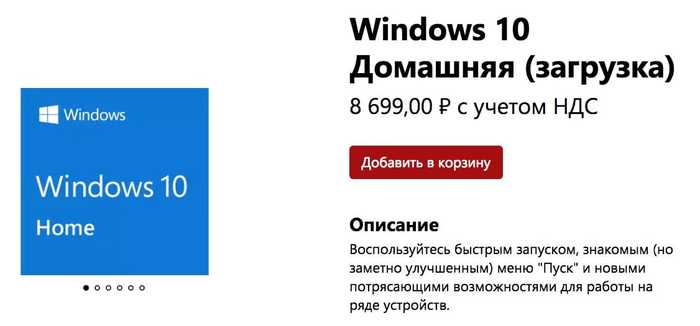
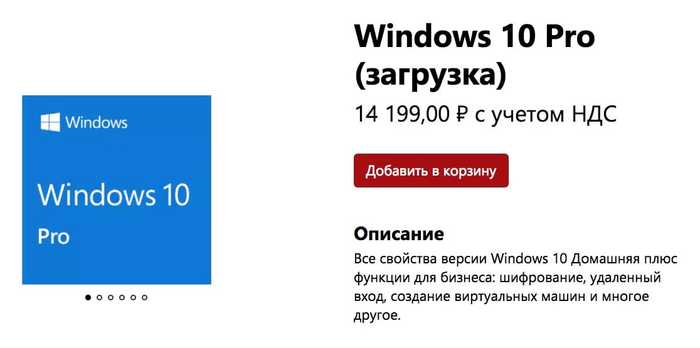
По состоянию на 19 декабря 2017 года за Windows 10 Home (базовая версия) просят 8 699 рублей, тогда как версия Windows 10 Pro (продвинутая) обойдется в 14 199 рублей. Очевидно, что отдавать такие деньги за операционную систему от Microsoft – занятие не самое разумное. Повезло всем тем, у кого была куплена лицензионная Windows 8 или же Windows 8.1, поскольку в течение очень длительного периода времени американская корпорация позволяла бесплатно обновить лицензионный ключ на более новый без каких-либо доплат.
Тем не менее, в большинства пользователей Windows 10 нет никакой лицензии, поскольку и Windows 8 (8.1) они использовали в пиратском виде. К счастью, теперь у всех желающих есть реальная возможность получить лицензию на Windows 10 Pro всего лишь за 300 рублей. Она будет работать абсолютно также, как и лицензия, купленная за 14 199 рублей, но с одной лишь небольшой разницей. Когда лицензионную версию ОС покупают в официальном магазине Microsoft Store, то она привязывает к фирменной учетной записи пользователя. Если же покупать ее более чем в 40 раз дешевле, то у пользователя на руках будет только уникальный ключ, который придется хранить в тайне от других.
Практически все современные компьютеры, ноутбуки и некоторые планшеты работают на базе операционной системы Windows 10 Pro, однако стоимость таких устройств иногда может не превышать даже 20 000 рублей. Если рассуждать здраво, то получается, что за «железо» покупатель платит около 6 000 рублей, а остальные 14 000 рублей уходят на лицензию ОС. На радость всех потребителей на деле все оказывается вовсе не так.
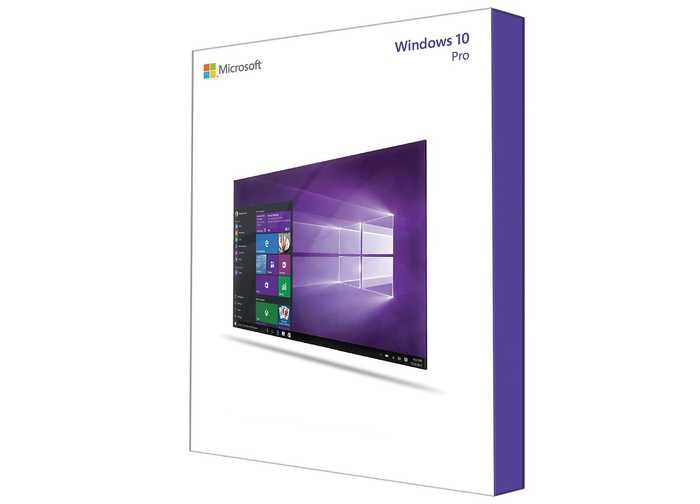
Специально для компьютеров, планшетов и прочих устройств, которые прямо «из коробки» работают на «винде», компания Microsoft предоставляет их производителям OEM-версию операционной системы. Она также имеет свой уникальный серийный ключ, который используется для активации лицензии. Такие ключи продают на площадке eBay всего за 200-400 рублей, причем работать они будут на абсолютно любом компьютере.
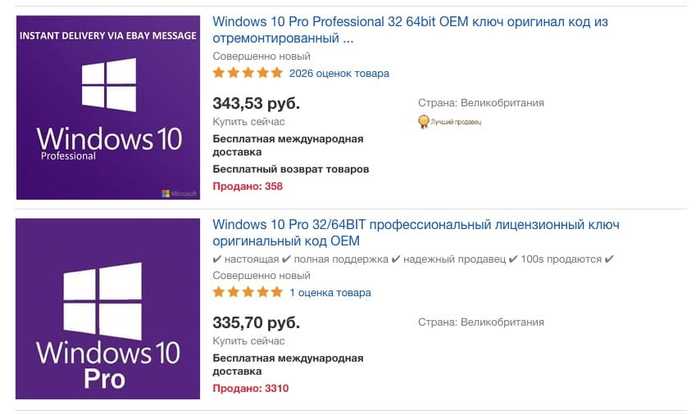
В глазах закона – пользователь Windows 10 Pro, купленной за 300 рублей, будет использовать лицензионное ПО. Если же говорить о правилах Microsoft, то она запрещает использовать OEM-ключи на любых других компьютерах, которые не работают на этой операционной системе прямо «из коробки». Тем не менее, это лишь формальное правило, за исполнение которого никто не следит вот уже как более 10 лет – с момента появлениях первых OEM-ключей.
Так зачем в конце 2017 года использоваться пиратскую версию Windows 10 Pro, заморачиваясь с активаторами и прочими ухищрениями, если можно раз и навсегда купить лицензионный OEM-ключ всего за 300 рублей, избавив себя от пустой траты времени? Приобрести лицензию на «винду» по такой смешной цене можно на торговой площадке eBay, предварительно ознакомившись с отзывами о продавце.
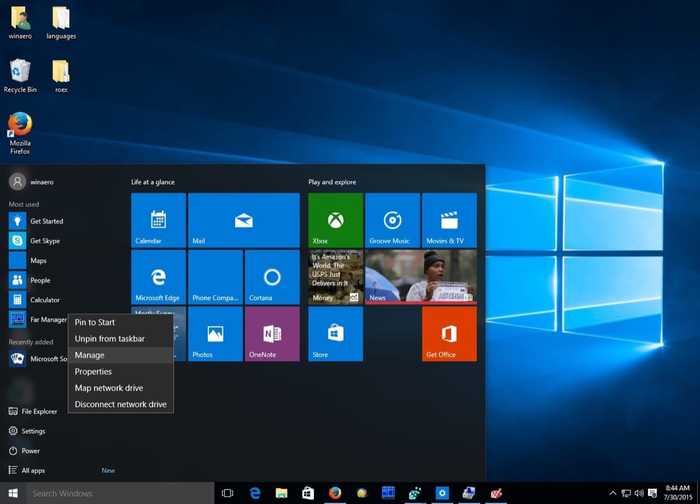
Такие ключи остаются от вышедших из строя компьютеров и ноутбуков, поэтому их можно без каких-либо опасений использовать в своих собственных целях. Покупать лицензионные ключи к Windows 10 Pro на российских сайтах не стоит, поскольку зачастую продавцы просят за них по 2-4 тысячи рублей – все зависит от жадности.

Найдены возможные дубликаты
>В глазах закона – пользователь Windows 10 Pro, купленной за 300 рублей, будет использовать лицензионное ПО
Нет, не будет. Лицензионное = законно приобретенное и используемое в соответствии с лицензионным соглашением. Другой вопрос, что домашние юзеры нафиг никому не нужны, чтобы возиться с проверкой законности обладания. А эти извращения ничем не отличаются от активатора с торрента, ибо подтвердить законность приобретения ты не можешь. Ну и нафига морочиться?
Полностью согласен. Оно ничем не отличается от того же бесплатного КМС.
Доказать что это лицензия не реально.
Чувак, ты из прошлого? )
Нет чувак из реального настоящего. Умейте мыслить глубже а то по всем комментариям кажется что вы все из прошлого
Ну правильно, конечно из прошлого, посту год. Теперь все умные стали)
Согласен. В глазах ЗАКОНА не будет чека = пират. Тут опечатка — в глазах СЕРВЕРОВ MS да будет выглядеть легально.
1) можно активировать Windows 7 через OEM(активатор)
2) обновиться до Windows 10
после чего получите технически активированную Windows 10, все сервисы будут доступны.
Microsoft будут думать, что вы просто обновили лицензию Windows 7 до 10
после обновления до Windows 10, сервер Microsoft запоминает ID компа и можно ставить с нуля (пропустив ввод ключа) Windows 10, сервер активирует систему.
это сумма его компонентов(типа "хеш суммы").
смените жесткий диск — ID системы изменится на 2 знака
смените видеокарту — ID изменится на N знаков
смените системную плату — ID изменится на 90% (и любая активация слетит)
Небольшая смена компонентов не приводит к слету активации, большой апгрейд (допустим пришлось новую системную плату брать) приводит к полной смене, т.е. для сервера Microsoft ваш комп (даже если все остальные компоненты не менять) уже "новый".
Вроде лицензия Win10 привязывается к Microsoft-аккаунту и если ты ставишь на полностью новое железо (при условии, что на старом уже не используешь) входишь в аккаунт — оно автоматом активирует. В противном случае клацаешь "Исправить проблемы с активацией".
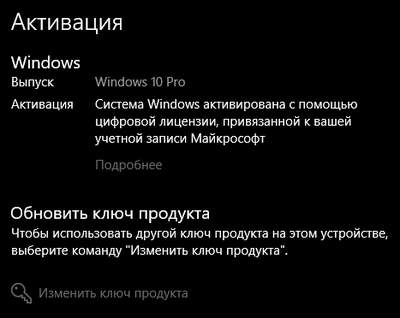
до сих пор можно обновить но ручками
Ну тогда надо заголовой поправить — "как налюбить мелкософт, чтобы моя пиратская ос могла пользоваться всеми сервисами".
т.е. ты предлагаешь пиратку не скачивать бесплатно, а покупать на eBay? Реально?
мы меняли мать, проц и память, остался тока диск и видюха — все активировалось заново через интернет, даже винду не переустанавливали, все встало и активировалось.
Поправьте меня, если я не прав, но, покупая ОЕМ лицензию, ты все равно нарушаешь лицензионное соглашение и твоя версия Виндовс по сути все равно будет пиратской.
Да, так и есть. Почему-то автор считает, что так проще, Чем просто скачать дистрибутив и нажать одну кнопку в активаторе.
Еще есть подобные ключи для софта Adobe, Ms Office и т.д. Это полезно если вы не хотите связываться с кряками и так или иначе вмешиваться в нормальную работу софта. В коммерции, насколько я знаю, надо подтвердить приобретение ПО бумажной или электронной лицензией.
тут скорее для win10 с его облачным аккаунтом (onedrive+live) ибо если при установки ОС win10 ввести подобный ключ а после залогиниться в облачный аккаунт ms live то этот ключ признается валидным и прикрепляется к облачному аккаунту.
А если этот ключ уже продали паре сотен человек?
Это по сути тот же активатор, но за который нужно платить деньги.
заголовок прочитал и только один вопрос в голове. ЗАЧЕМ?
Так же сделал. Один фиг, это рано или поздно будет стандартом, а мне, как айтишнику, надо уметь с ней обращаться.
нормальная полноценная винда
Года 2 назад, обновился с пиратской семерки и все норм работает. Нет, не так, меня все устраивает. Про какие сервисы идет речь, хз.
В глазах ЗАКОНА не будет чека = пират. Тут опечатка — в глазах СЕРВЕРОВ MS да будет выглядеть легально.
Akket постоянно подобную хуйню распространяет, то левые способы псевдолегально винду установить, то дикие фейковые скидки на смартфоны (либо скидки вовсе не дикие, либо просто условия получения скидки слишком узкие, но Аккет трубит, что прямо обвал цен), да и вообще у них практически все заметки — лютейший кликбейт.
Сотовый оператор «Билайн» навсегда прекращает работу
Многие годы данная компания активно развивалась, но в нынешнем 2019 году что-то пошло не так, потому что официальный государственный чиновник высокого ранга заявил на всю страну о том, что сотовый оператор «Билайн» навсегда прекращает работу, в связи с чем использовать те услуги, которые он оказывает, окажется невозможно никоим образом. Об этом заявил глава Национальной регулирующей комиссии по коммуникациям Каха Бекаури прямо во время телевизионного интервью на одном из федеральных телеканалов Грузии.
Он отметил, что все оборудование данного оператора выкупят его грузинские операторы, а российский навсегда покинет территорию страны, фактически продав весь свой бизнес.
Тем не менее, на радость всех клиентов этой компании, ничего такого не случится, о чем сообщила руководитель департамента по связям с общественностью российского оператора мобильной связи «Билайн» Софо Балавадзе. По ее словам, компания не собирается уходить из Грузии, а озвученная чиновником информация является полностью недостоверной. Отмечается, что оператор не получал никаких предложений о продаже своего бизнеса и даже не обсуждал подобные идеи. Также было отмечено, что в нынешнем 2019 году компания уже повысила качество связи, расширила зону покрытия и увеличила пропускную способность интернет-канал, поэтому покидать грузинский рынок она не собирается.
Это все, что нужно знать о сайте Аккет. Надеюсь, этот сайт загнется сам под плевками случайно зашедших читателей, если его не прикроют по какой-нибудь статье.