
Намерения компании MSI использовать компоненты производства Corsair для создания видеокарт с жидкостной системой охлаждения были анонсированы недавно, поэтому появление соответствующего пресс-релиза на сайте MSI не стало для нас сюрпризом. Выход на рынок видеокарты Radeon R9 Fury X окончательно убедил покупателей, что бояться необслуживаемых систем жидкостного охлаждения не стоит. Поэтому стандартное, по своей сути, решение MSI и Corsair уже никого не удивляет своей компоновкой.
Страница 1: Тест и обзор: Corsair Hydro GFX (MSI GeForce GTX 980 Ti Sea Hawk) – первая видеокарта Corsair
Современные high-end GPU выделяют значительное количество тепла, поэтому системы охлаждения сегодня находятся в фокусе внимания. Значимость систем охлаждения серьезно возросла после появления технологий GPU Boost от NVIDIA и PowerTune от AMD, последняя теперь даже комплектует некоторые эталонные видеокарты СВО. Corsair уже довольно давно занимается темой водяного охлаждения, и сегодня компания объединила усилия с MSI, чтобы выпустить первую собственную видеокарту Hydro GFX. Ниже мы подробно рассмотрим новинку.
Сотрудничество между Corsair и MSI было объявлено еще в середине сентября, и плодом совместных усилий как раз стала видеокарта Hydro GFX на GeForce GTX 980 Ti. Пока неизвестно, выйдут ли на рынок другие модели. Впрочем, если продажи пойдут успешно, то появление новых видеокарт вполне вероятно. MSI продает эту же видеокарту под названием GeForce GTX 980 Ti Sea Hawk, что тоже подчеркивает сотрудничество. С другой стороны, NVIDIA не собирается представлять собственные видеокарты с водяным охлаждением. На Computex 2015 в июне компания подчеркнула, что хорошей видеокарте водяное охлаждение не требуется.
Но никуда не деться от того факта, что high-end видеокарты выигрывают от системы водяного охлаждения. Даже без ручного разгона видеокарта из-за механизмов Boost получит прирост производительности. Особенно это касается high-end GPU NVIDIA, эталонные системы охлаждения не справляются с тепловыделением, что приводит к быстрому снижению тактовых частот – хотя частоты остаются в расчетном диапазоне. AMD для эталонной Radeon R9 Fury X выбрала систему водяного охлаждения, то же самое касается видеокарты с двумя GPU "Radeon R9 Fury X2", которая выйдет в декабре на смену Radeon R9 295X2.
Конечно, в данном случае используются системы охлаждения с замкнутым контуром. В отличие от «самосборных» СВО они обычно менее мощные, возможностей конфигурации меньше, зато они не требуют обслуживания и трудоемкой установки. Вы можете без лишних усилий приобщиться к миру водяного охлаждения.
Информация об архитектуре
Об архитектуре GPU говорить особо нечего, здесь все хорошо известно. GPU GM200 опирается на архитектуру Maxwell, перед нами самый мощный чип NVIDIA на сегодня. Он производится по 28-нм техпроцессу и содержит 8 млрд. транзисторов. По сравнению с NVIDIA GeForce GTX Titan X NVIDIA отключила два Maxwell Streaming Multiprocessors в шести Graphics Processing Cluster (GPC). 4 блока SMM x 22 SMM x 32 потоковых процессора дают 2.816 потоковых процессоров. Их дополняют 176 текстурных блоков и 96 конвейеров растровых операций. В общей сложности 6 Гбайт памяти GDDR5 подключены по 384-битной шине.
| Corsair Hydro GFX | |
|---|---|
| Модель | Corsair Hydro GFX |
| Цена | 62,6 тыс. рублей $739 евро |
| Сайт производителя | Corsair Hydro GFX |
| Техническая информация | |
| GPU | Maxwell |
| Техпроцесс | 28 нм |
| Число транзисторов | 8 млрд. |
| Тактовая частота GPU (базовая) | 1.190 МГц |
| Тактовая частота GPU (Boost) | 1.291 МГц |
| Частота памяти | 1.775 МГц |
| Тип памяти | GDDR5 |
| Объём памяти | 6 GB |
| Ширина шины памяти | 384 бит |
| Пропускная способность памяти | 340,6 Гбайт/с |
| Версия DirectX | 12 |
| Потоковые процессоры | 2.816 |
| Текстурные блоки | 176 |
| Конвейеры растровых операций (ROP) | 96 |
| Тепловой пакет | 250 Вт |
| SLI/CrossFire | SLI |
Из-за мощной системы охлаждения Corsair и MSI решили добавить существенный уровень заводского разгона. Если NVIDIA для эталонной версии GeForce GTX 980 Ti выставила базовую частоту 1.000 МГц, у Corsair Hydro GFX она увеличена до 1.190 МГц. Под нагрузкой видеокарта работает на частоте Boost не ниже 1.291 МГц, NVIDIA указывает минимальную планку 1.075 МГц. Что касается памяти, то разгон минимальный – 1.775 МГц против уровня 1.750 МГц у NVIDIA. Разгон GPU, как можно видеть по частоте Boost, составил 20 процентов. Впрочем, для видеокарт с водяным охлаждением высокий уровень разгона – не редкость.
Ранее мы протестировали Inno3D iChill GeForce GTX 980 Ti Black Accelero Hybrid S, у которой минимальная частота Boost составила 1.304 МГц, на практике частота увеличивалась до 1.443 МГц. Corsair Hydro GFX по спецификациям немного отстает, но здесь важны результаты на практике. Что интересно, Inno3D использовал систему охлаждения производства Arctic, а Corsair опирается на собственный кулер H55 в паре с адаптером GPU HG10 N980.
На скриншоте GPU-Z подтверждаются ранее известные детали Corsair Hydro GFX.
| Сравнение температур и тактовых частот | ||
|---|---|---|
| Игра | Температура | Частота |
| The Witcher 3: Wild Hunt | 65 °C | 1.392 МГц |
| Battlefield: Hardline | 65 °C | 1.392 МГц |
| Grand Theft Auto IV | 64 °C | 1.392 МГц |
| Far Cry 4 | 65 °C | 1.392 МГц |
| Total War: Attila | 65 °C | 1.392 МГц |
| Metro: Last Light Redux | 65 °C | 1.392 МГц |
| Tomb Raider | 65 °C | 1.392 МГц |
| DiRT Rally | 65 °C | 1.392 МГц |
| Middle-Earth: Shadow of Mordor | 65 °C | 1.392 МГц |
На практике мы получили максимальную частоту Boost 1.392 МГц. Так что видеокарта все же уступает Inno3D iChill GeForce GTX 980 Ti Black Accelero Hybrid S, которая в наших тестах достигала 1.443 МГц. Но связано это не с ограничениями системы охлаждения или видеокарты, а с настройкой механизма GPU Boost в BIOS. Температура 64 или 65 °C GPU довольно высока для системы водяного охлаждения, но технически она не приводит к каким-либо проблемам.
(For login issues, please ctrl+F5)
GN Latest PC Builds


Year-End Awards & Sales Gu >
Most Recent Comments
Some Legacy to the Bit Bucket in 4 days!
"Intel is removing drivers and BIOS for its old desktop.
MSI Sea Hawk GTX 980 Ti Review vs. EVGA 980 Ti Hybr >
Additional Info
- Component: Video Card
- Awards: Best of Bench
- Original MSRP: 750
- Manufacturer: MSI & Corsair
- Product Page (Buy): MSI Sea Hawk GTX 980 Ti

Liquid-cooled video cards have carved-out a niche in the performance market, granting greater power efficiency through mitigation of power leakage, substantially reduced thermals, and improved overclocking headroom. We’ve previously talked about the EVGA GTX 980 Ti Hybrid and AMD R9 Fury X, both of which exhibited substantially bolstered performance over previous top-of-line models. More manufacturers have seen the potential for liquid-cooled graphics, with MSI and Corsair now joining forces to produce their own 980 Ti + CLC combination.
This joint venture by MSI and Corsair sees the creation of a liquid-cooled GTX 980 Ti, using the existing Corsair H55 CLC ($60), an Asetek-supplied CLC. Depending on which company you’re asking, the graphics card is named either the “MSI Sea Hawk GTX 980 Ti” ($750) or “Corsair Hydro HFX 980 Ti.” Both will have independent listings on retail websites. The cards are identical aside from the branding initiatives. The MSI & Corsair solution sees employment of what is typically a CPU liquid cooler, bracketing the H55 CLC to the GPU using a Corsair HG10 GPU CLC mount. EVGA’s solution, meanwhile, uses a CLC with an extruded coldplate for GPU-specific package sizes, which could impact cooling. We’ll look into that below.
For purposes of this review, we’ll refer to the card interchangeably between the Hydro GFX and Sea Hawk. Our MSI Sea Hawk GTX 980 Ti review benchmarks gaming (FPS) performance vs. the EVGA 980 Ti Hybrid, temperatures, overclocking, power consumption, and value. The liquid-cooled 980 Ti cards are in a class of their own, exceeding base 980 Ti price by a minimum of $50 across all manufacturers. We’re pitting the EVGA 980 Ti Hybrid against the MSI Sea Hawk in a head-to-head comparison within this benchmark.
Previous GTX 980 Ti Content
| MSI Sea Hawk GTX 980 Ti | EVGA GTX 980 Ti Hybrid | GTX 980 Ti | GTX Titan X | |
| GPU | GM200 | GM200 | GM200 | GM200 |
| Fab Process | 28nm | 28nm | 28nm | 28nm |
| Texture Filter Rate (Bilinear) | 176GT/s | 176GT/s | 176GT/s | 192GT/s |
| TjMax | 92C | 92C | 92C | 91C |
| Transistor Count | 8B | 8B | 8B | 8B |
| ROPs | 96 | 96 | 96 | 96 |
| TMUs | 176 | 176 | 176 | 192 |
| CUDA Cores | 2816 | 2816 | 2816 | 3072 |
| Base Clock (GPU) | 1190MHz | 1140MHz | 1000MHz | 1000MHz |
| Boost Clock (GPU) | 1291MHz | 1228MHz | 1075MHz | 1075MHz |
| GDDR5 Memory / Memory Interface | 6GB / 384-bit | 6GB / 384-bit | 6GB / 384-bit | 12GB / 384-bit |
| Memory Bandwidth (GPU) | 336.5GB/s | 336.5GB/s | 336.5GB/s | 336.5GB/s |
| Mem Speed | 7Gbps | 7Gbps | 7Gbps | 7Gbps |
| Power | 1x 8-pin 1x 6-pin | 1x 8-pin 1x 6-pin | 1x 8-pin 1x 6-pin | 1x 8-pin 1x 6-pin |
| TDP | 250W | 250W | 250W | 250W |
| Output | 3x DisplayPort 1x HDMI 2.0 1x DL DVI | 3xDisplayPort 1xHDMI 2.0 1xDL DVI | 3xDisplayPort 1xHDMI 2.0 1xDL DVI | 3xDisplayPort 1xHDMI 2.0 1xDual-Link DVI |
| MSRP | $750 | $770 but $710 at this post | $650 | $1000 |
Notably, the MSI Sea Hawk GTX 980 Ti ships with a pre-overclock over the native 1000MHz / 1075MHz reference nVidia setting. MSI and Corsair plant their graphics solution at 1190MHz / 1291MHz (base / boost), using the CLC to keep the overclocked temperatures below reference.
Other than this, as most of you likely know, it’s still a GTX 980 Ti. The card has the same TMUs, same ROPs count, same memory configuration (6GB GDDR5) and bus, and so forth. As ever, it’s the cooler, the binning process, and the pre-overclock that differentiate cards.
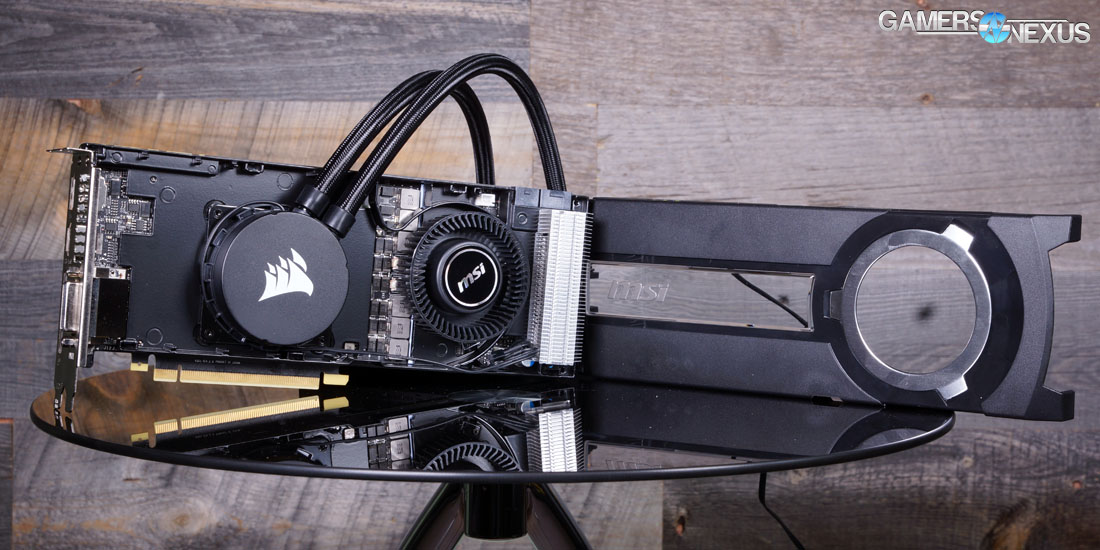
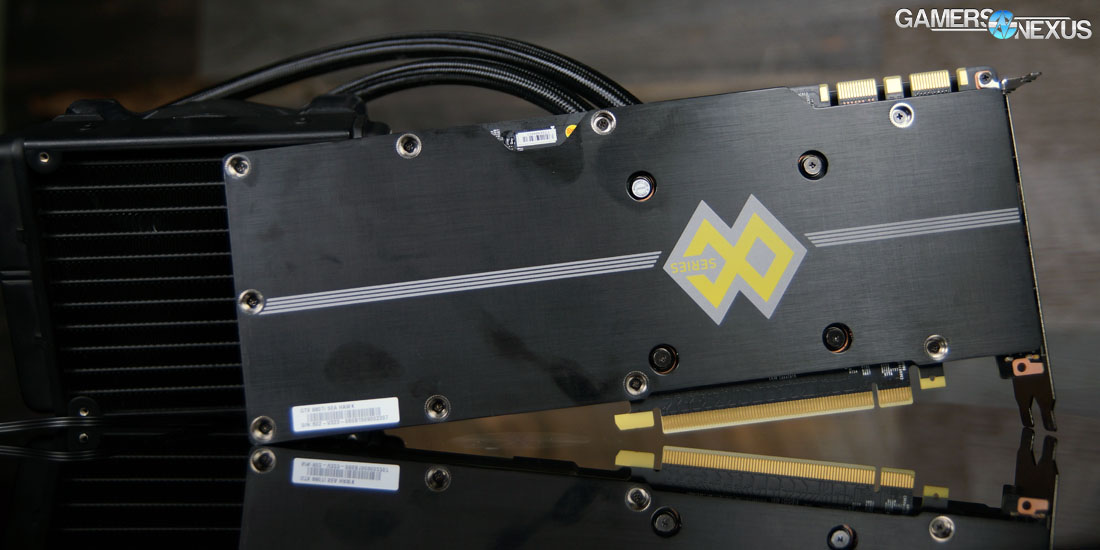
The Sea Hawk uses Corsair’s HG10 mounting bracket and adds a rectangular, acrylic window for visibility to the MSI and Corsair logos. The marketing photos have the Corsair “sails” logo fully visible through the acrylic window, but our model presents the Corsair iconography at a three-quarters visibility. The card uses a reference nVidia PCB and rests under a plastic face plate, with a metal backplate to support the card’s rear side.
Corsair uses its own solution for the radiator fan, fitted with white LEDs in each of the corners. The radiator fan connects directly to the motherboard via a 3-pin, non-PWM header. For comparison purposes, the EVGA Hybrid’s radiator fan connects directly to the video card (along the tubing channels) via 3-pin header, but is voltage-controlled directly by the card’s temperature demands.
Of the two, the Sea Hawk’s fan looks better (and has LEDs, for those who care), but introduces some slight cable clutter of which buyers should be aware. If you’re mounting this in the rear case slot – and you probably are – then the radiator fan cable is largely a non-issue, since most motherboards have a fan port near the rear IO panel.
Why Liquid Cooling Makes Sense for Graphics. Sometimes
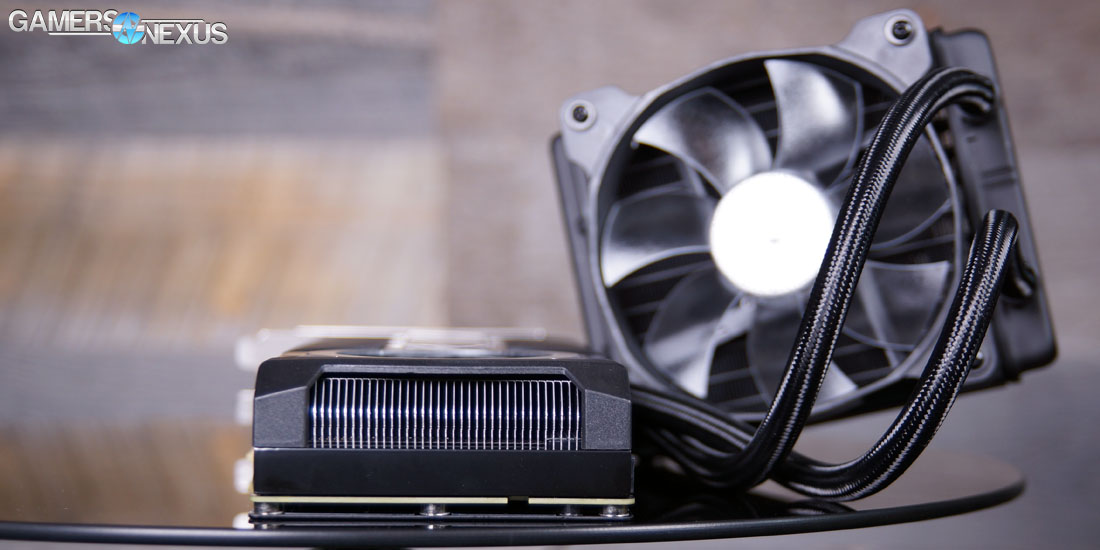
Above: VRM aluminum sink allows air passthrough from front intake and dissipation from the blower fan.
This is a topic we deeply explored in our AMD R9 Fury X review, something worth reading for curious buyers.
Liquid cooling has a number of seen and unseen advantages for high-end graphics solutions. The main, obvious disadvantage is support for yet another radiator. Users with CPU CLCs must pay special attention to case selection in this regard, as two closed-loop solutions can become a mounting challenge given tube length and flexibility limitations. Both the MSI Sea Hawk and EVGA Hybrid utilize an underlying Asetek supply. We’ve found Asetek-made coolers to include some of the most flexible tubing on the market, which helps reduce that concern, but the case must still have two nearby radiator mounts. We couldn’t say the same for flexibility with some Apaltek and Cooler Master solutions.
- Primary advantages are as follows:
- Reduced thermals
- Reduced chance of video card sag (less PCB saturation of heavy alloy and copper heatsinks)
- Improved power efficiency by reducing heat-resultant capacitor leakage
- Using binned GPUs, potential for greater OC support
- Theoretically, potential for reduced noise emissions. We do not presently test dBA emissions.
Thermal reduction is the most obvious gain. The CLC works the way any other CPU CLC or radiator setup would: A pump (mounted on the coldplate, for these cards) forces cold liquid into the microfins lining the inside of the copper coldplate, which directly contacts the GPU die, and then propels the heated liquid into the radiator. The liquid then runs down radiator liquid channels, where attached aluminum fins siphon heat for dissipation by radiator-mounted fans. Pretty simple, but hugely improved over the thermal dissipation abilities of air (which has a thermal conductivity of less than 1W/mK at 25C).
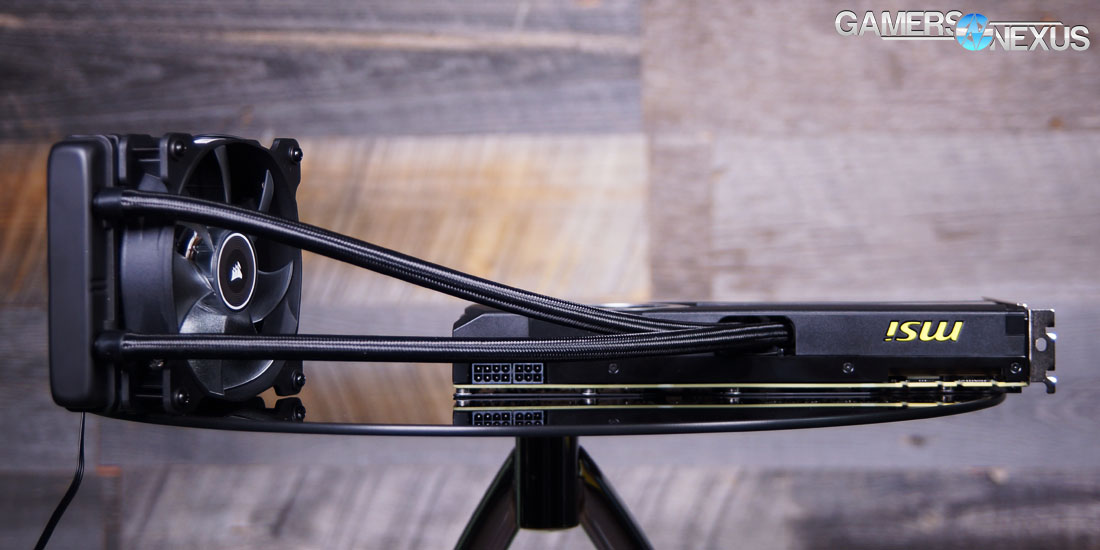
High-end air coolers are heavy and potentially introduce sag. Some solutions, like MSI’s GTX 980 Ti Lightning, use strategically-positioned steel brackets to help support the PCB under the severe load of copper and alloy heat sinks and pipes. Not all cards do – some of MSI’s “Gaming” cards sag – and that means the PCB is placed under strain. Over a lifespan, the strain can impact thermal compound (peel it away) and fan performance (flex the fan mount or bracket and force slight abrasion). A CLC solution immediately removes a large chunk of metal (copper heatpipes and aluminum fins) from the GPU surface, which is instead mounted by a plastic-and-copper block. As a bonus, this block is more central-and-left to the card, where PCB strength is supported by the expansion slot mounting point.
Power efficiency gains are also presented by improved thermal dissipation, a natural “gimme” with liquid coolers. By keeping the thermals of various video card components down – capacitors, chokes, MOSFETs, the GPU itself, memory – the card suffers from less power loss through leakage. As capacitors increase in heat, they lose their ability to retain power and the VRM is forced to work harder to clean voltage supply.
Next to HBM, which had big gains for AMD’s power efficiency, the inclusion of a CLC on the R9 Fury X is a measurable contributor to the card’s TDP reduction over Hawaii. We saw the power draw gap shrink to
26W between high-end nVidia solutions and the Fury X, which is more than can be said for the company’s previous air cards. This closing gap is partially attributable to the thermal reduction by the CLC, netting improved power efficiency and retention.
Some CLC-equipped video cards do not cool the VRM, which is a concern for high-end cards with overclocking in mind. Both the Sea Hawk and Hybrid use aluminum heatsinks and blower fans for VRM cooling. For comparison, the Fury X uses a modified Cooler Master CLC (resembles the Seidon coolers) with liquid piped through copper VRM channels. This raises overall thermals of the Fury X by “sharing” the liquid with more components, but helps control power leakage and empower AMD’s near-max stock clock setting.
There’s obviously a cost add. It’s worth noting that, when well-designed, air cooling a GPU is still a completely viable option that’s more affordable. ASUS’ “Strix” cooler, for instance, remains one of the best-performing GPU coolers we’ve tested – and that’s all air and heatsinks.
At $710 – normally closer to $750, before MSI launched a competitor – the EVGA 980 Ti Hybrid sits a full
$50 over most air-cooled GTX 980 Ti video cards. Considering similar pre-OC performance can be gained through a high-end air cooler, though at a hotter temperature, this price jump is something the buyer must personally balance. The MSI / Corsair Sea Hawk currently rests at $750, a price at which we readily recommended the EVGA Hybrid. If the CLC solution performs well and the pre-overclock outputs high framerate deltas, this price-point is easily justifiable for the right enthusiast audience. But, again, there is no shame in buying air ($660) when cost-limited.
Differences Between the EVGA GTX 980 Ti Hybrid & MSI Sea Hawk 980 Ti
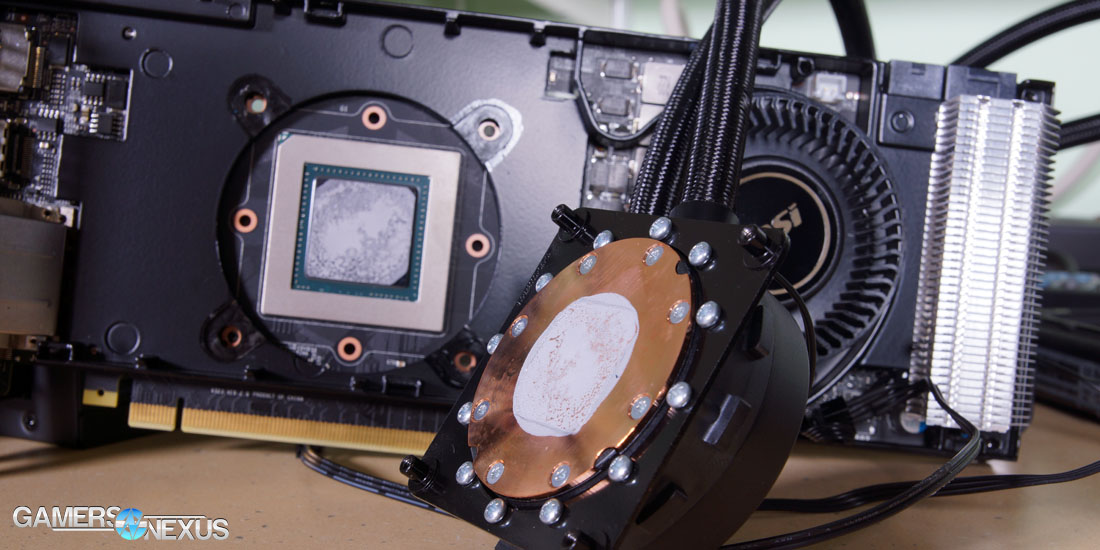
Above: Sea Hawk / Hydro GFX using an H55 CLC with CPU coldplate.

Above: EVGA Hybrid cooler uses a coldplate extrusion to improve GPU contact and performance.
Basic design is the same. Both cards use a plastic faceplate, a CLC bracket, an aluminum VRM heatsink, the reference PCB, and a blower VRM fan. Notably, EVGA just recently announced a free upgrade to an aluminum faceplate (which we think looks far better than the original launch); we suspect this is a response to MSI & Corsair launching the Sea Hawk.
Both cards use an Asetek-supplied liquid cooler, with the Sea Hawk using a Corsair-branded H55. The H55 is built for CPU cooling, but can be adapted to GPU cooling by way of a mounting bracket. This is where we must look for potential thermal dissipation differences.
The cooler on the EVGA Hybrid has a coldplate extrusion which directly contacts with the surface of the GPU. GPU package size and smoothness measure differently than that of a CPU – especially if the CPU CLC is built to fit multiple socket types – and this GPU-specific tuning could potentially have a large impact on thermal output. We’ll test that below.
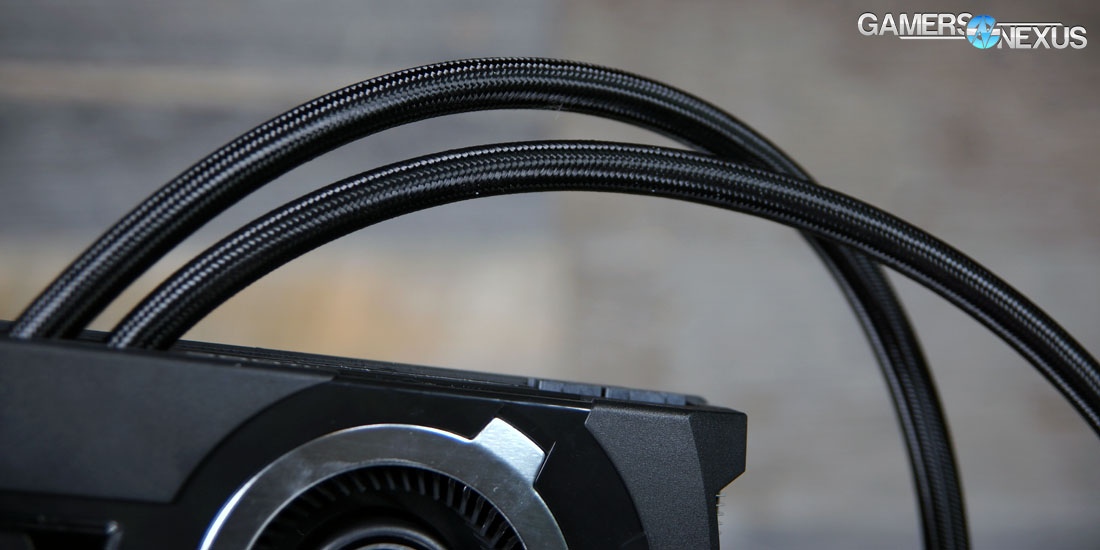
Above: We love the braided finish of the Sea Hawk’s CLC tubing.
MSI uses a Corsair fan on its Sea Hawk radiator, complete with white LEDs and semi-transparent blades. The fan connects directly to the motherboard via 3-pin header.
EVGA, meanwhile, doesn’t tool its own fan. The fan is a somewhat plain, all-black fan (think: what you’d find in a Rosewill or old Cooler Master case) with no LEDs or frills. EVGA’s fan connects directly to a card-attached extension and receives voltage control directly from the GPU.
Test Methodology
We tested using our updated 2015 Multi-GPU test bench, detailed in the table below. Our thanks to supporting hardware vendors for supplying some of the test components.
The latest AMD Catalyst drivers (15.9.1) were used for testing, except in the case of the Fury X, which was on loan and has not been updated since 15.7. NVidia’s 358.50 drivers were used for testing. Game settings were manually controlled for the DUT. All games were run at ‘ultra’ presets, with the exception of The Witcher 3, where we disabled HairWorks completely, disabled AA, and left SSAO on. GRID: Autosport saw custom settings with all lighting enabled. GTA V used two types of settings: Those with Advanced Graphics ("AG") on and those with them off, acting as a VRAM stress test.
Each game was tested for 30 seconds in an identical scenario, then repeated three times for parity.
| GN Test Bench 2015 | Name | Courtesy Of | Cost |
| Video Card |
This is what we’re testing!
Average FPS, 1% low, and 0.1% low times are measured. We do not measure maximum or minimum FPS results as we consider these numbers to be pure outliers. Instead, we take an average of the lowest 1% of results (1% low) to show real-world, noticeable dips; we then take an average of the lowest 0.1% of results for severe spikes. Anti-Aliasing was disabled in all tests except GRID: Autosport, which looks significantly better with its default 4xMSAA. HairWorks was disabled where prevalent. Manufacturer-specific technologies were used when present (CHS, PCSS).
Overclocking was performed incrementally using MSI Afterburner. Parity of overclocks was checked using GPU-Z. Overclocks were applied and tested for five minutes at a time and, if the test passed, would be incremented to the next step. Once a failure was provoked or instability found — either through flickering / artifacts or through a driver failure — we stepped-down the OC and ran a 30-minute endurance test using 3DMark’s FireStrike Extreme on loop (GFX test 2).
Thermals and power draw were both measured using our secondary test bench, which we reserve for this purpose. The bench uses the below components. Thermals are measured using AIDA64. We execute an in-house automated script to ensure identical start and end times for the test. 3DMark FireStrike Extreme is executed on loop for 25 minutes and logged. Parity is checked with GPU-Z.
| GN Test Bench 2015 | Name | Courtesy Of | Cost |
| Video Card |
This is what we’re testing!
Head over to Page 2 for thermal and power tests.


